
Aesthetic Text
Cute Text Copy and Paste: Kawaii Styles That Work
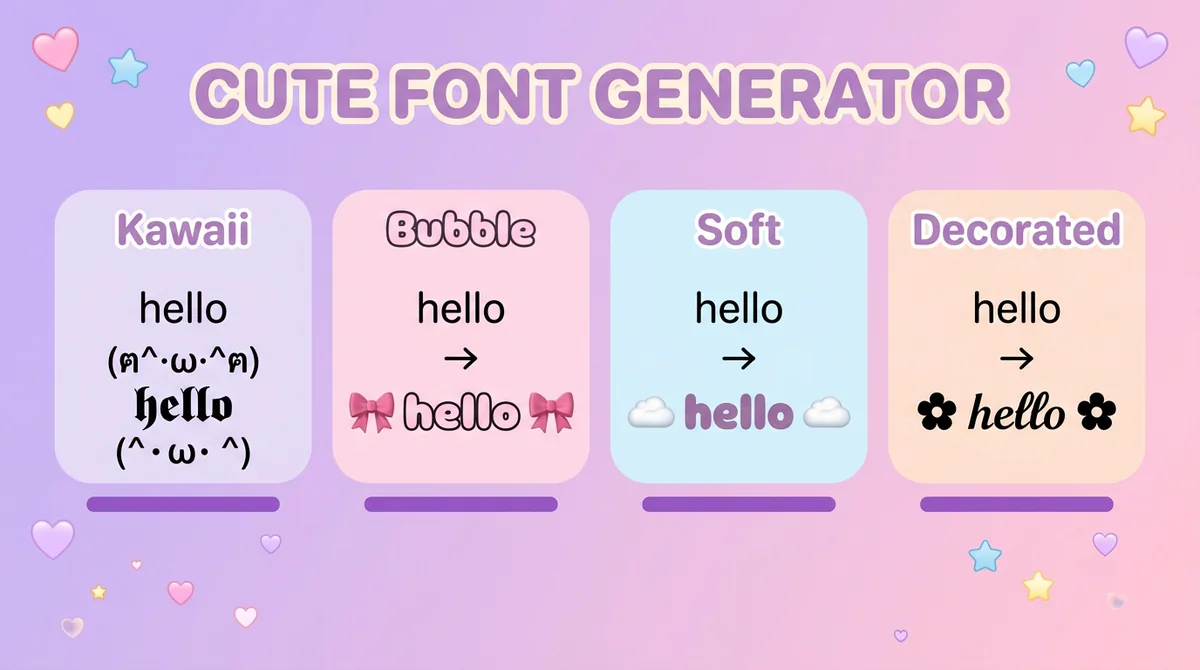
Type a name and get kawaii, bubble and heart-decorated text back. Copy cute fonts and symbols straight into Instagram, TikTok or Discord - free.
Contents
- Which Cute Style Fits Your Situation?
- How to Copy and Paste Cute Fonts
- Kawaii, Bubble, Soft, and Decorated — What's the Difference?
- Cute Font Examples for Real Bios and Names
- Cute Text by Mood — 12 Tested Examples
- Run This Five-Point Paste Test Before Saving
- Cute Font Facts You Should Know
- Where People Use Cute Fonts
- Keep Cute Text Readable
- Cute Font Generator FAQ
- Get Your Cute Text
A cute font generator is a free tool that turns a plain name or phrase into kawaii-style Unicode text — cat and bunny kaomoji, hearts, bubbles, and soft lettering you can copy and paste directly into a bio, caption, or username. No download, signup, or font install is needed, and the result works because it's built from standard Unicode characters, not an image or a font file.
Quick checklist
- Open the cute font generator and type your text.
- Compare kaomoji-wrapped styles like Kitty Text, Bunny Script, and Sparkle Cute.
- Pick a style that still reads clearly at bio or nickname size.
- Copy it with one click and paste it into the platform you're using.
- Check the character count against that platform's limit before saving.
Best practical use case: use cute text for a short profile opener, matching profile line, or playful display name, then keep handles, links, and contact details plain — browse the broader Font Styles hub if kawaii isn't quite the direction you're after.
Which Cute Style Fits Your Situation?
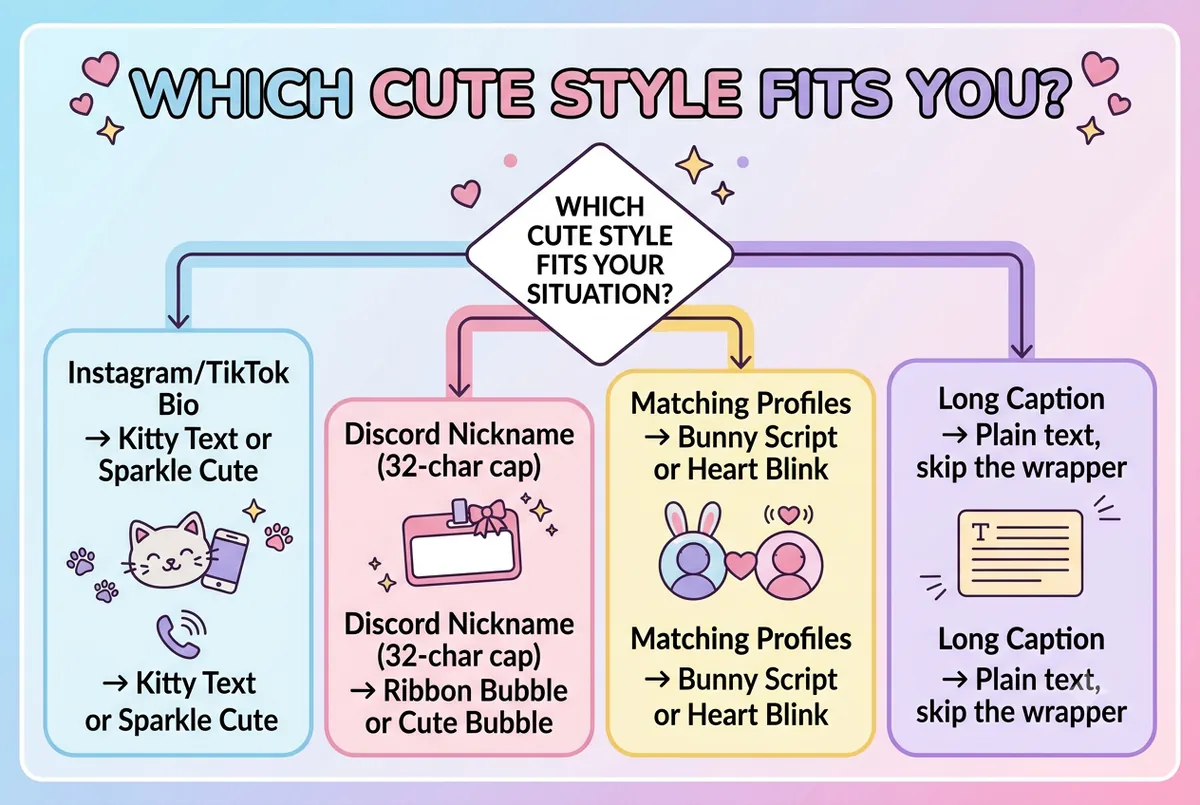
Not every kawaii style suits every field. A wide kaomoji wrapper that looks great as a standalone bio line can eat into a tight nickname limit fast. Use the table below to skip straight to the style that fits what you're pasting into.
| Situation | Best For | Key Difference | Recommendation |
|---|---|---|---|
| Instagram or TikTok bio opener | A short display name at the top of a profile | Kaomoji faces read cleanly on their own line and don't compete with a tagline below | Kitty Text or Sparkle Cute |
| Discord nickname (32-character cap) | Gamers who want a playful tag without losing space | A shorter wrapper leaves more of the 32-character limit for the actual name | Ribbon Bubble or Cute Bubble |
| Matching couple or friend profiles | Two people who want their bios to visually pair up | Using the same kaomoji face on both accounts ties the look together, even with different names | Bunny Script or Heart Blink |
| A longer caption or paragraph | Full sentences, not just a name | Kaomoji wrappers add width and can make long text harder to scan | Skip the wrapper — use plain text or a light heart accent instead |
How to Copy and Paste Cute Fonts
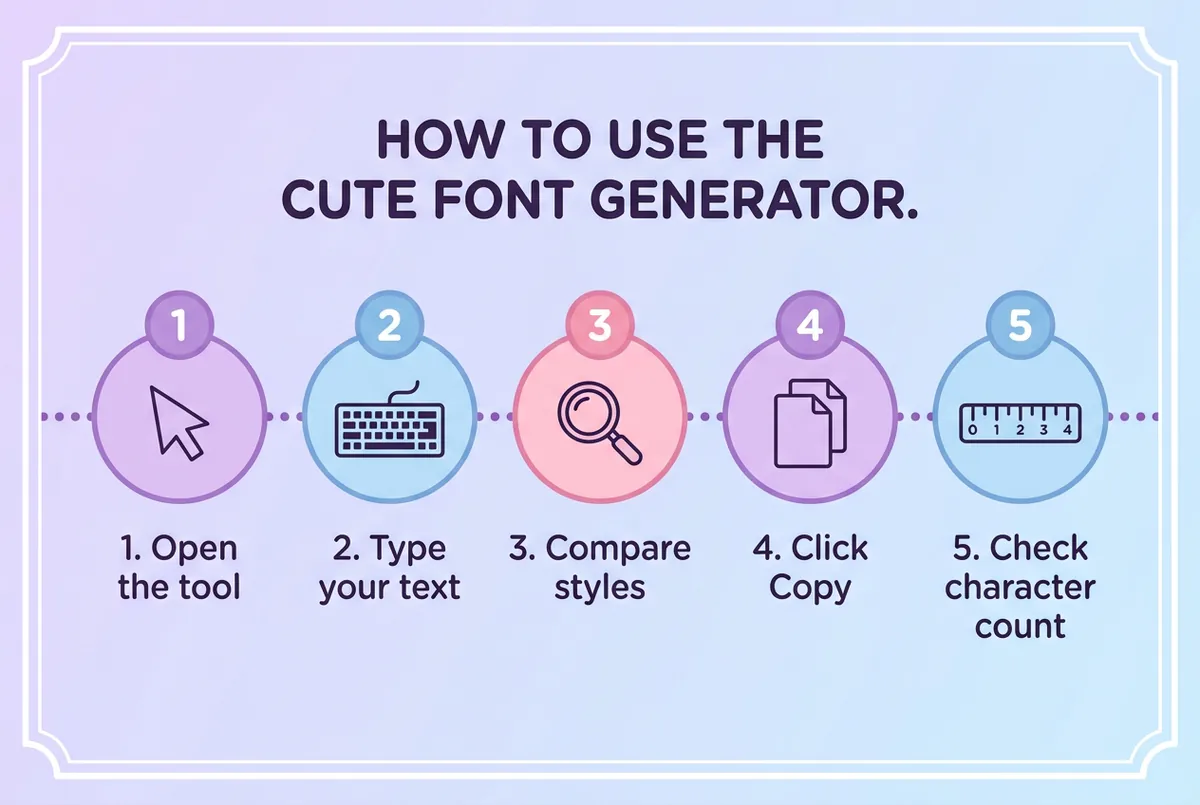
- Open the cute font generator — go to the Cute Fonts tool and land on the input box at the top of the page.
- Type your name or phrase — every style below the box updates live as you type, so there's nothing to submit or refresh.
- Scroll through the kaomoji-wrapped styles — check how each one reads with your specific word, not just the generic preview text.
- Click Copy on your favorite — the styled text copies as plain characters, so no special paste option is needed.
- Paste it and count the characters — drop it into your bio, nickname, or caption field, then confirm it still fits that platform's limit before you save.
A common failure point here is picking a style based on the demo text alone. A kaomoji face that looks balanced around "Font Generator" can look lopsided around a three-letter name — always preview it with your own words first.
Kawaii, Bubble, Soft, and Decorated — What's the Difference?
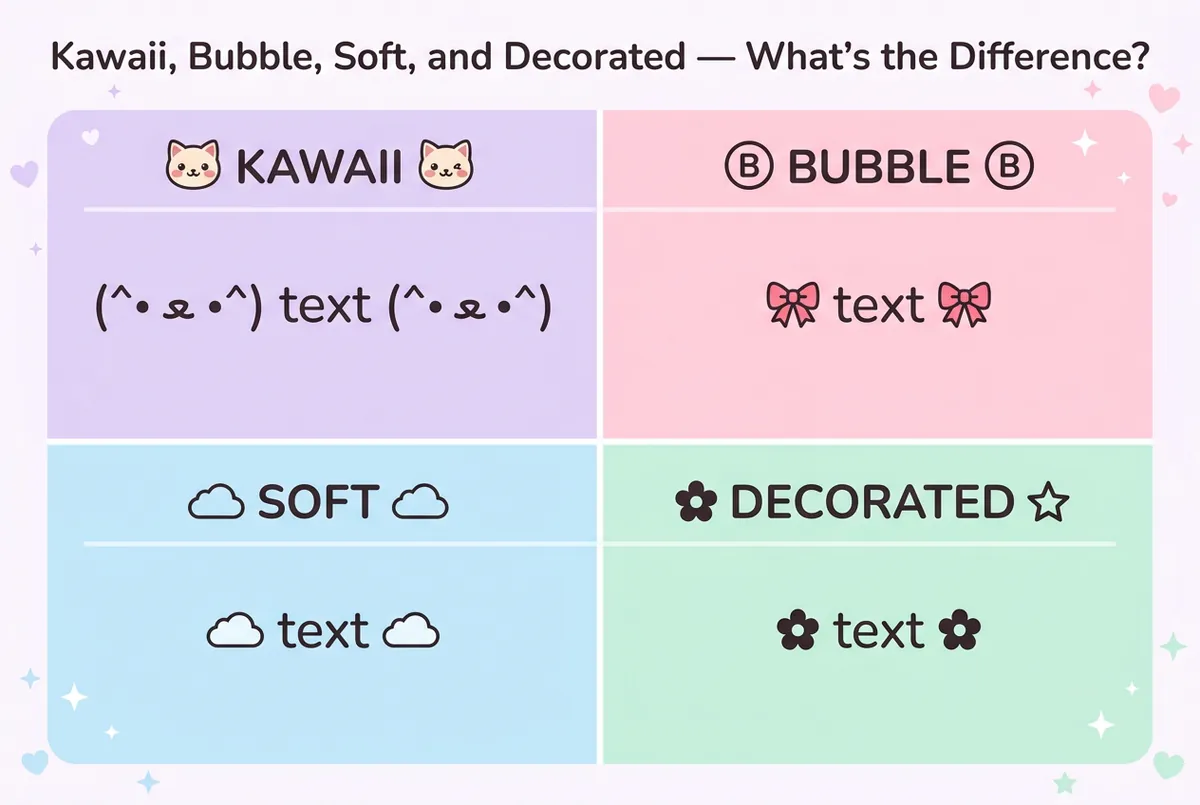
"Cute" isn't one look — it's a cluster of related styles, and mixing them up is the easiest way to end up with the wrong result. Here's how the four main directions differ:
- Kawaii styles wrap your text in a kaomoji face — cat ears, bunny whiskers, blushing cheeks — built from punctuation and symbol characters rather than color emoji. Examples on the cute font generator include Kitty Text
(^• ﻌ •^), Bunny Script(´• ω •), and Puppy Paws(=^・ω・^=)`. - Bubble styles wrap your letters in circled Unicode characters, either on their own or paired with a ribbon or bow symbol, like the Cute Bubble style:
🎀 🅕🅞🅝🅣 🅖🅔🅝🅔🅡🅐🅣🅞🅡 🎀. For circle letters without the kaomoji layer, the bubble font generator is the more focused option. - Soft styles skip the face entirely and leave the letters as you typed them, with one restrained symbol around them — Cloud Soft's
☁️。:.゚framing, or Candy Wide's 🍬 around fullwidth letters. These work well when a kaomoji wrapper would feel too busy, and because the letters are untouched they are the easiest to read. - Decorated styles add stars, sparkles, or florals around the text without a face at all, like Sparkle Cute
☆*: .。.or Baby Blossom✿◕ ‿ ◕✿. Both of these also turn the letters into small capitals, so the name changes shape as well as gaining a frame.
The distinction that matters most: kawaii and bubble styles on this page specifically lean into a Japanese-influenced playful look, not the broader Y2K, vaporwave, or cottagecore moods covered on the aesthetic font generator. If you're after retro-digital or soft-minimalist text rather than kaomoji faces, that page is the better starting point — and where each aesthetic mood fits walks through the moods themselves before you pick a style to carry one.
Cute Font Examples for Real Bios and Names
Example 1: Instagram bio opener
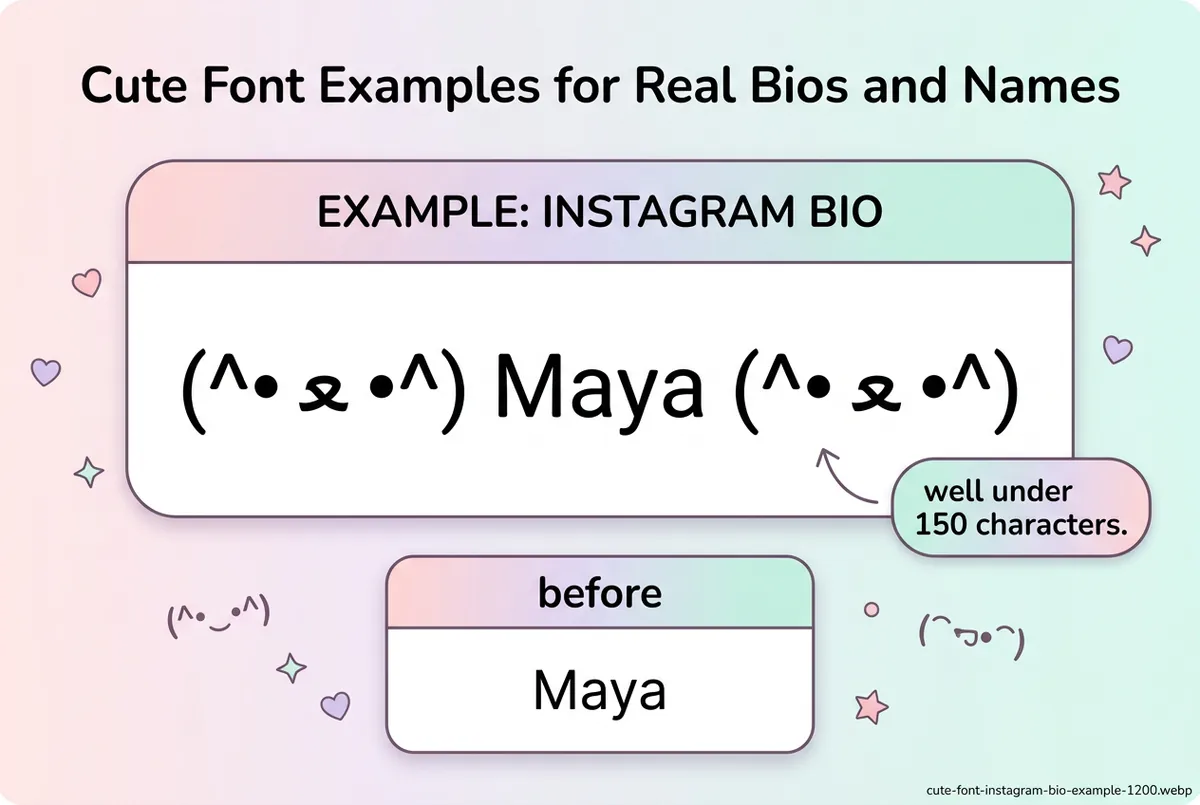
Type "Maya" into the generator and compare Kitty Text against Sparkle Cute. Kitty Text keeps the wrapper short — (^• ﻌ •^) Maya (^• ﻌ •^) — which leaves room for a plain-text tagline underneath, well inside Instagram's 150-character bio limit. The Instagram font generator covers more platform-specific styling if you want options beyond kawaii.
Example 2: Discord nickname
Enter "Kai" and try Ribbon Bubble instead of a longer wrapper like Star Purr. The shorter framing — 𓂃 ࣪˖ Ⓚⓐⓘ ˖ ࣪𓂃 — matters more on Discord, where nicknames are capped at 32 characters. For more on picking names built for competitive or gaming profiles, see the gaming username font guide.
Example 3: Matching profiles for two friends
Two friends type "Lily" and "Rose" into Bunny Script and keep the same kaomoji face on both accounts — (´• ω •) ℒ𝒾𝓁𝓎 (´• ω •) and (´• ω •) ℛℴ𝓈ℯ (´• ω •) — so the bios visually match without either person copying the other's exact wording.
Cute Text by Mood — 12 Tested Examples
Every line below is the exact output of the cute font generator for the word shown — generated from the tool's own style data, not typed by hand. The fifth column is the accessibility check: in 3 of the 12 styles (Kitty Text, Cloud Soft, Star Purr) the letters stay ordinary letters, so a screen reader still says the name and a search still matches it. The other nine swap the letters for look-alike characters, which read as gibberish aloud — use those for a decorative line and keep the plain name somewhere on the profile.
| Mood | Style | Type this | You get | Letters stay plain? | Use it for |
|---|---|---|---|---|---|
| Playful | Kitty Text | Maya | (^• ﻌ •^) Maya (^• ﻌ •^) | Yes | A bio opener that stays readable |
| Playful | Puppy Paws | Noor | (=^・ω・^=) 𝗡𝗼𝗼𝗿 (=^・ω・^=) | No | A display name with some weight |
| Playful | Chubby Cheeks | Sam | (灬°ω°灬) 𝗦𝗮𝗺 (灬°ω°灬) | No | A chat status line |
| Soft and dreamy | Cloud Soft | slow mornings | ☁️。:.゚ slow mornings ゚.:。☁️ | Yes | A caption first line |
| Soft and dreamy | Ribbon Bubble | Kai | 𓂃 ࣪˖ Ⓚⓐⓘ ˖ ࣪𓂃 | No | A Discord nickname inside 32 characters |
| Soft and dreamy | Baby Blossom | Lena | ✿◕ ‿ ◕✿ Lᴇɴᴀ ✿◕ ‿ ◕✿ | No | A matching-profile name |
| Sparkly | Sparkle Cute | Aria | ☆*: .。. Aʀɪᴀ .。.:*☆ | No | A TikTok display name |
| Sparkly | Star Purr | Mia | (=^・ェ・^=))ノ彡☆ Mia ☆彡ヾ(=^・ェ・^=) | Yes | A server or channel name |
| Sparkly | Candy Wide | Zoe | 🍬 Zoe 🍬 | No | A short handle-style name |
| Lovey | Heart Blink | Lily | (。♥‿♥。) ℒ𝒾𝓁𝓎 (。♥‿♥。) | No | A couple or best-friend profile |
| Lovey | Bunny Script | Rose | (´• ω •) ℛℴ𝓈ℯ (´• ω •) | No | Its matching pair |
| Lovey | Cute Bubble | Ivy | 🎀 🅘🅥🅨 🎀 | No | A one-line bio accent |
If your name has to be found by search or read aloud, choose from the three plain-letter styles. If it is a decorative opener with the real name underneath, any of the twelve works — pick by mood.
Run This Five-Point Paste Test Before Saving
A result that looks good inside the generator is only a candidate. Test the exact output in its destination before making it your public display name or bio.
| Check | What to do | Pass condition |
|---|---|---|
| Recognition | Ask someone to read the styled name without showing the plain version | They identify the intended name on the first try |
| Character budget | Paste the complete name, wrapper, spaces, and symbols into the real field | The platform accepts it without truncation |
| Glyph support | View the saved result on a second device or browser | No empty boxes, question marks, or misplaced marks appear |
| Searchability | Search for the account using its ordinary handle | The profile remains easy to find even if the display name is stylized |
| Accessibility | Keep essential contact details and instructions in ordinary text | The decorative line is optional, not the only source of meaning |
If the output fails one check, shorten the wrapper before changing the name itself. You can also build a lighter face from the kaomoji collection or compare the exact characters in the Unicode compatibility guide.
Cute Font Facts You Should Know
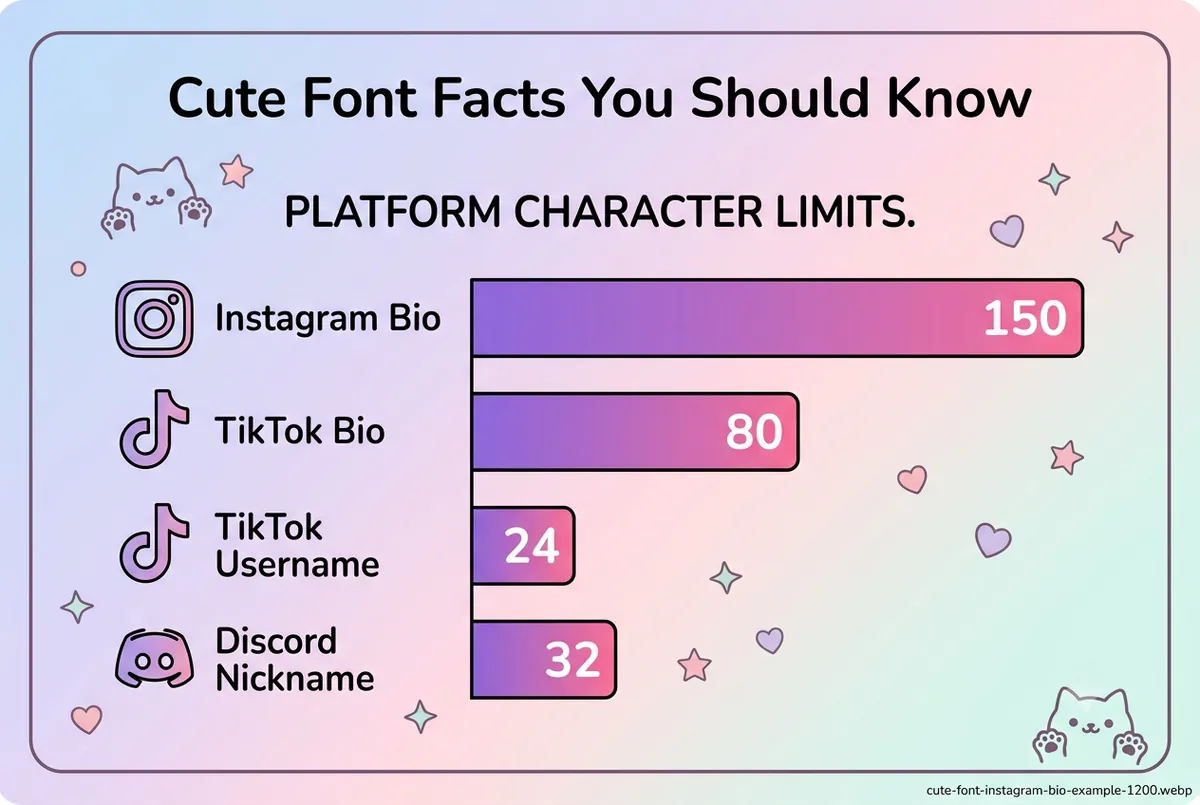
- Instagram bios allow up to 150 characters.
- TikTok bios are capped at 80 characters, and TikTok usernames at 24 characters.
- Discord nicknames and display names are capped at 32 characters and fully support Unicode.
- Kaomoji-style faces are built from CJK, Katakana, and emoticon-adjacent Unicode characters, not color emoji — one reason they tend to render more consistently across older and newer devices.
- A short kaomoji wrapper such as
(^• ﻌ •^)adds roughly 9–10 characters to each side of your text, on top of the letters themselves.
Where People Use Cute Fonts
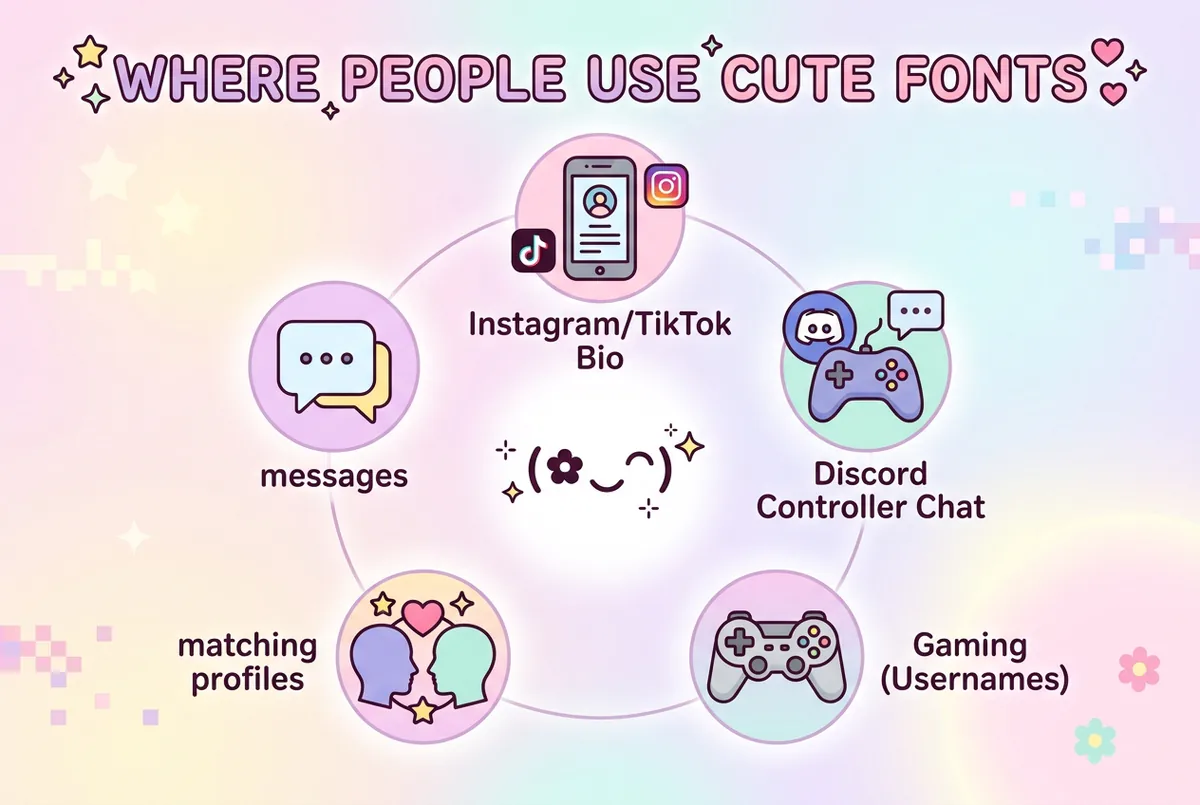
Cute fonts show up most often in places where a soft first impression matters more than a formal one:
- Instagram and TikTok bios
- Discord nicknames and server names
- Gaming usernames
- Couple or friendship profile matching
- Chat status lines and short messages
For platform-specific character styles beyond the kawaii category, the heart decorated fonts page covers a related but distinct look. And if you're deciding how to pair a styled name with a plain handle, the username style guide walks through that balance in more detail.
Keep Cute Text Readable
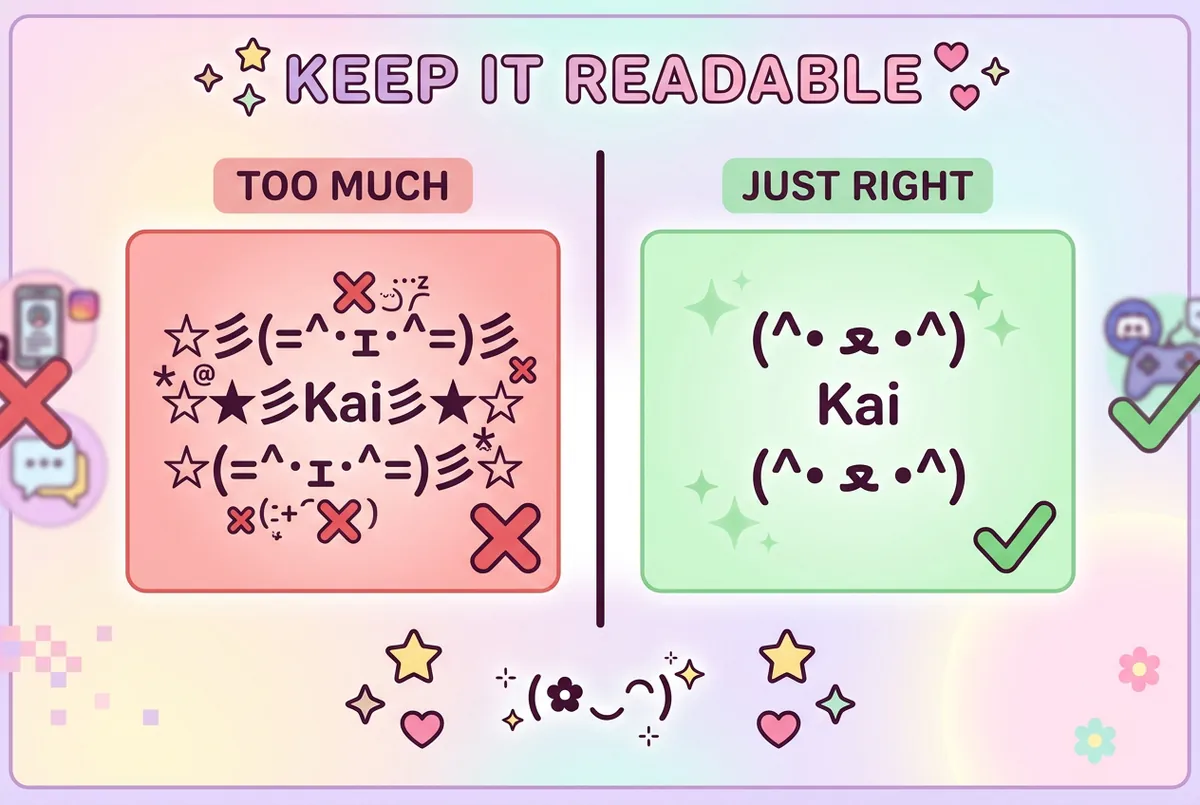
A kaomoji wrapper is meant to be a short accent, not a replacement for the whole line. Stacking two or three decorated styles together usually makes a name harder to read, not cuter.
- Preview the style with your actual name or phrase, not the demo text.
- Pick one wrapper — face, bubble, or symbol cluster — not several stacked together.
- Keep links, phone numbers, and other essential text in plain characters.
- Check the result on a phone screen before saving it, since some characters render differently across devices.
- If a character shows up as a box, switch styles rather than forcing it.
Cute Font Generator FAQ
What is a cute font generator? A cute font generator is a free tool that converts plain text into kawaii-style Unicode characters — kaomoji faces, hearts, bubbles, and soft lettering — that you can copy and paste into any text field without installing a font.
Are kawaii fonts different from cute fonts? Kawaii is one category within cute fonts, specifically the styles built around cat, bunny, or animal-face kaomoji. "Cute" more broadly also covers bubble letters and decorated styles that don't use a face at all.
Do kaomoji faces count toward the character limit?
Yes — every symbol in the face is a character. (^• ﻌ •^) is 9 characters, and the space after it makes 10, so a wrapper on both sides costs about 20 of Instagram's 150 or Discord's 32 before your name is counted. On X most of these symbols weigh two characters each, so the same wrapper costs roughly double there.
Which cute styles can a screen reader still read? The ones that leave the letters alone: Kitty Text, Cloud Soft, Star Purr. They add a frame around ordinary text, so the name is announced normally and matches a search. Styles that convert the letters — script, small capitals, circled or bold look-alikes — are read out character by character or skipped.
Why do some cute font symbols show as boxes on my phone? A box usually means your device doesn't have a font installed that supports that specific Unicode character. Switching to a different cute style, or a shorter kaomoji wrapper, usually solves it.
Can I use a cute font for a Discord nickname? Yes, Discord nicknames support full Unicode and allow up to 32 characters, so a compact kaomoji wrapper like Ribbon Bubble or Cute Bubble tends to fit better than a longer one.
Get Your Cute Text
Kawaii kaomoji, bubble letters, and heart-decorated styles are ready whenever you are — type a name once and copy the version that fits your bio, nickname, or caption.
Open the cute font generator, preview your text across every kawaii, bubble, and decorated style, and copy the one that matches your platform's character limit.