
Games
Discord Font Generator: Stylish Text for Servers
How to use a Discord font generator to create stylish server names and nicknames. Copy-paste bold, glitch, gothic, and aesthetic Unicode fonts for free.
Contents
- What Is a Discord Font Generator?
- How to Use a Discord Font Generator Step by Step
- Step 1: Type Your Text
- Step 2: Choose a Style That Matches Your Server
- Step 3: Copy and Paste Into Discord
- Step 4: Test on Desktop and Mobile
- Step 5: Save a Plain Text Backup
- Discord Fonts That Work and May Not Work
- Unicode Font Generators vs Discord Markdown Formatting
- Simple Difference
- Example
- Best Places to Use Cool Fonts for Discord Server Branding
- Server Names
- Channel Names
- Bios and Profiles
- Messages and Announcements
- How to Change My Discord Font Without Confusion
- Mistakes to Avoid With Discord Stylish Text
- Practical Style Ideas for Different Discord Servers
- Gaming Server
- Streamer Server
- Study Server
- Anime or Roleplay Server
- FAQ
- What is the best discord font generator?
- How do I get cool fonts for Discord server names?
- What Discord fonts that work should I use?
- How to change my Discord font?
- What is the difference between Discord fonts and Markdown?
- Conclusion
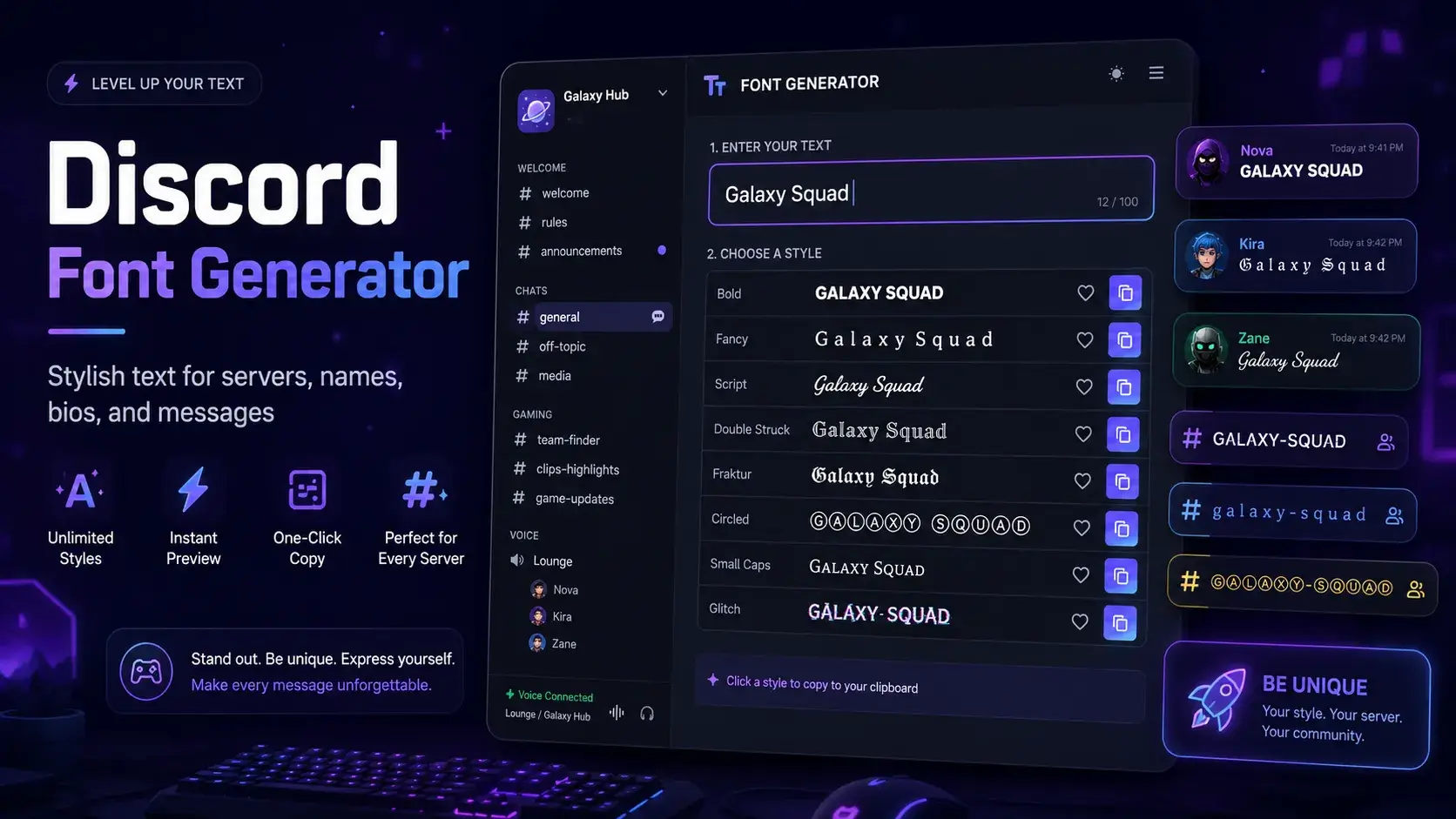
A discord font generator helps you turn plain text into stylish Unicode text you can copy and paste into Discord. It is useful for server names, channel names, role labels, bios, usernames, announcements, and short chat messages.
The key is choosing styles that look good without hurting readability. Some discord fonts look clean on desktop and mobile, while others may appear broken, too wide, or hard to read.
This guide shows you how to create Discord stylish text step by step, where to use it, and how it differs from Discord Markdown formatting.
What Is a Discord Font Generator?
A Discord font generator is a copy-paste text tool that converts normal letters into decorative Unicode characters. For example, normal text like Raid Night can become 𝗥𝗮𝗶𝗱 𝗡𝗶𝗴𝗵𝘁, 𝑅𝒶𝒾𝒹 𝒩𝒾𝑔𝒽𝓉, or Raid Night.
These are not installed fonts inside Discord. Instead, they are special characters that look like different font styles.
You can try styles directly with the Discord fonts generator, or explore broader options like fancy fonts and cool fonts.
Quick Answer: Use a Discord text generator by typing your text, picking a readable style, copying the result, and pasting it into Discord. For the best result, test the text in a message before using it in a server name, channel name, role, or bio.
How to Use a Discord Font Generator Step by Step
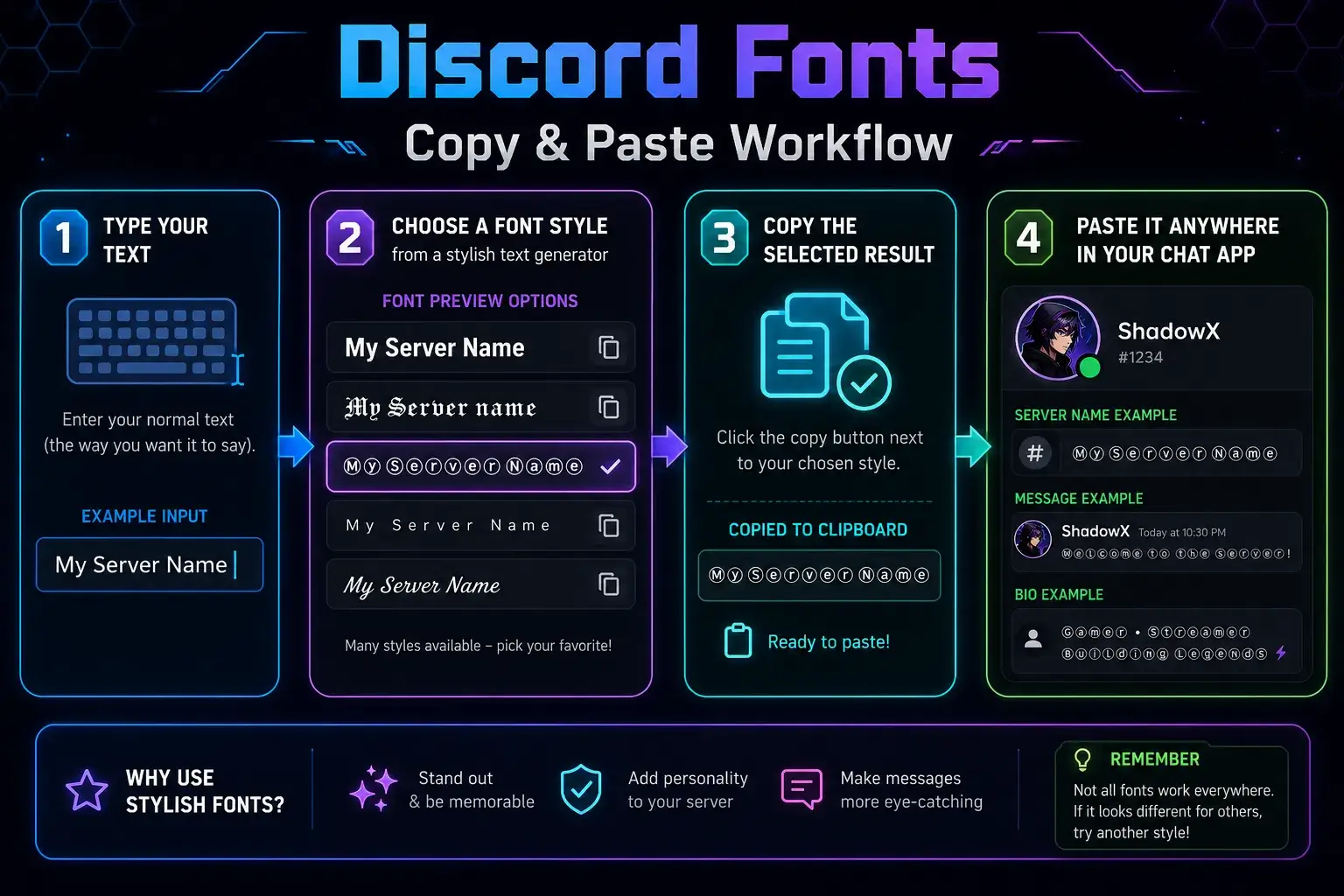
Follow this simple process to make cool text for Discord without overdoing it.
Step 1: Type Your Text
Start with the exact text you want to style. Keep it short if you plan to use it for a server name, channel name, or role.
Good examples include:
Raid HubStreamer LoungeAnime ChatRulesLive NowSquad Goals
Short text usually works better because decorative Unicode characters can take up more space.
Step 2: Choose a Style That Matches Your Server
Pick a style based on your server's vibe.
A gaming server may use bold or sharp text. A cozy community may use soft script or small caps. A streamer server may use clean bold text for announcements.
For example:
𝗥𝗮𝗶𝗱 𝗛𝘂𝗯works well for esports.𝓒𝓸𝔷𝔶 𝓒𝓱𝓪𝓽works well for friendly communities.LIVE NOWworks well for stream alerts.
Step 3: Copy and Paste Into Discord
After choosing a style, copy the generated text. Then paste it into your Discord message, profile, channel name, role name, or server name.
For a faster option, use the Discord font generator copy and paste tool and test several styles before choosing one.
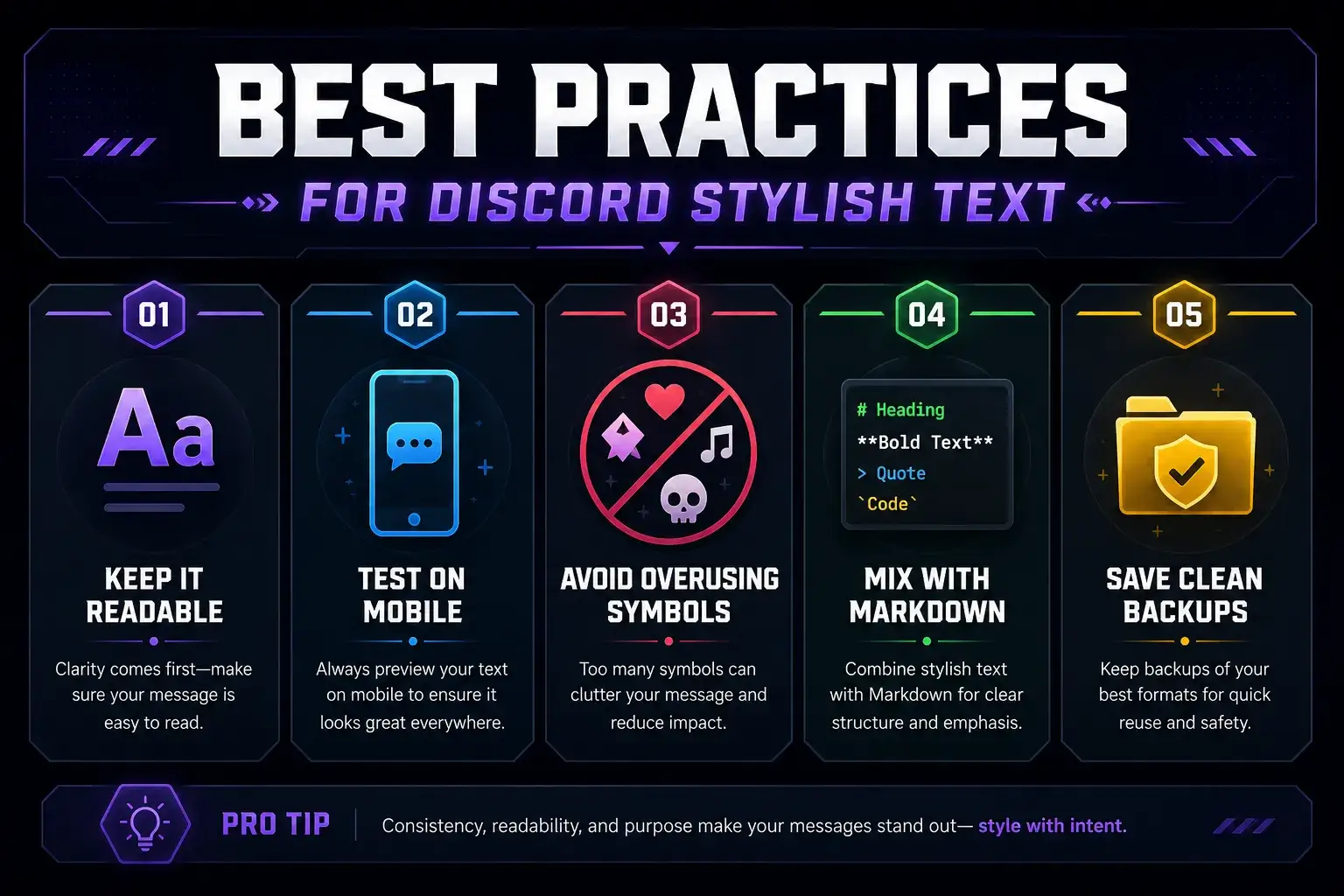
Step 4: Test on Desktop and Mobile
Before using stylish text in important places, check it on both desktop and mobile. Some characters look great on one device but may look strange on another.
This matters most for:
- Server names
- Channel names
- Role names
- Rules channels
- Welcome messages
- Streamer announcements
Step 5: Save a Plain Text Backup
Keep a plain version of your server name, channel list, and role names. If a font style becomes hard to read or does not display well for some members, you can switch back quickly.
Discord Fonts That Work and May Not Work
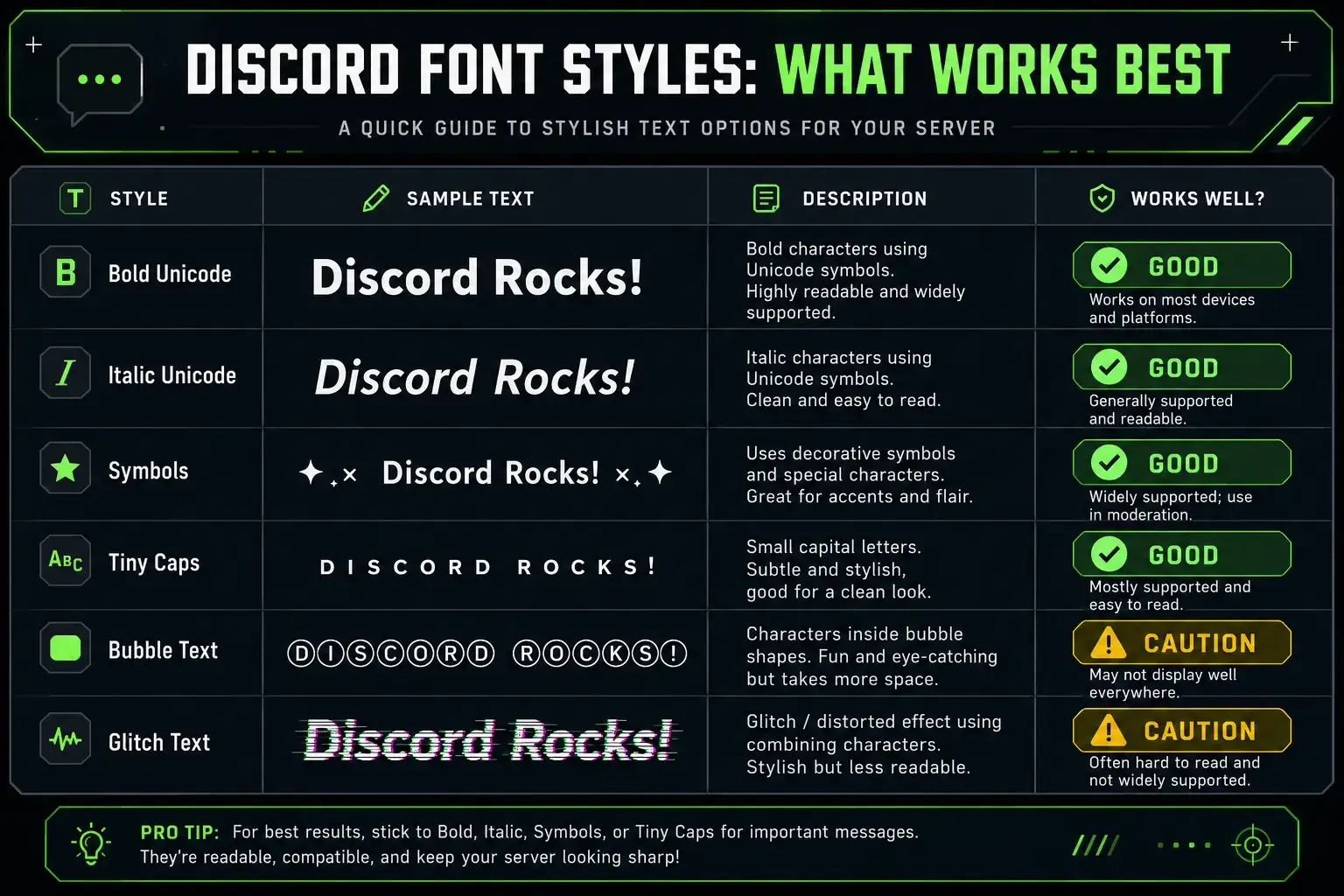
Most Unicode styles paste into Discord, but not every style is practical. Some are readable, while others are better for short decorative use.
| Font Style | Example | Works in Discord? | Best Use | Watch Out For |
|---|---|---|---|---|
| Bold Unicode | 𝗦𝗲𝗿𝘃𝗲𝗿 𝗡𝗲𝘄𝘀 | Yes | Announcements, roles, server branding | Can feel heavy if used everywhere |
| Italic Unicode | 𝑆𝑒𝑟𝑣𝑒𝑟 𝑁𝑒𝑤𝑠 | Usually | Bios, short messages | Some letters may be less clear |
| Script Text | 𝓢𝓮𝓻𝓿𝓮𝓻 𝓝𝓮𝔀𝓼 | Usually | Decorative names, aesthetic bios | Hard to read in long text |
| Fullwidth Text | Server News | Yes | Headers, stream alerts | Takes more space |
| Small Caps | ꜱᴇʀᴠᴇʀ ɴᴇᴡꜱ | Usually | Channel labels, bios | Some letters may not convert evenly |
| Bubble Text | Ⓢⓔⓡⓥⓔⓡ Ⓝⓔⓦⓢ | Usually | Fun messages | Too bulky for channel lists |
| Glitch/Zalgo Text | S̴e̷r̸v̶e̵r̷ | May work poorly | Rare decorative effects | Can be messy and inaccessible |
| Symbol-heavy Text | ✦ Server News ✦ | Yes | Separators, category labels | Too many symbols can clutter names |
| Emoji Mixed Text | 🎮 Server News | Yes | Channels, announcements | Too many emojis reduce readability |
| Markdown Formatting | Server News | Yes in messages | Bold, italic, code, quotes | Not the same as font generation |
For most servers, bold Unicode, small caps, fullwidth text, and light symbols are the safest choices.
Unicode Font Generators vs Discord Markdown Formatting
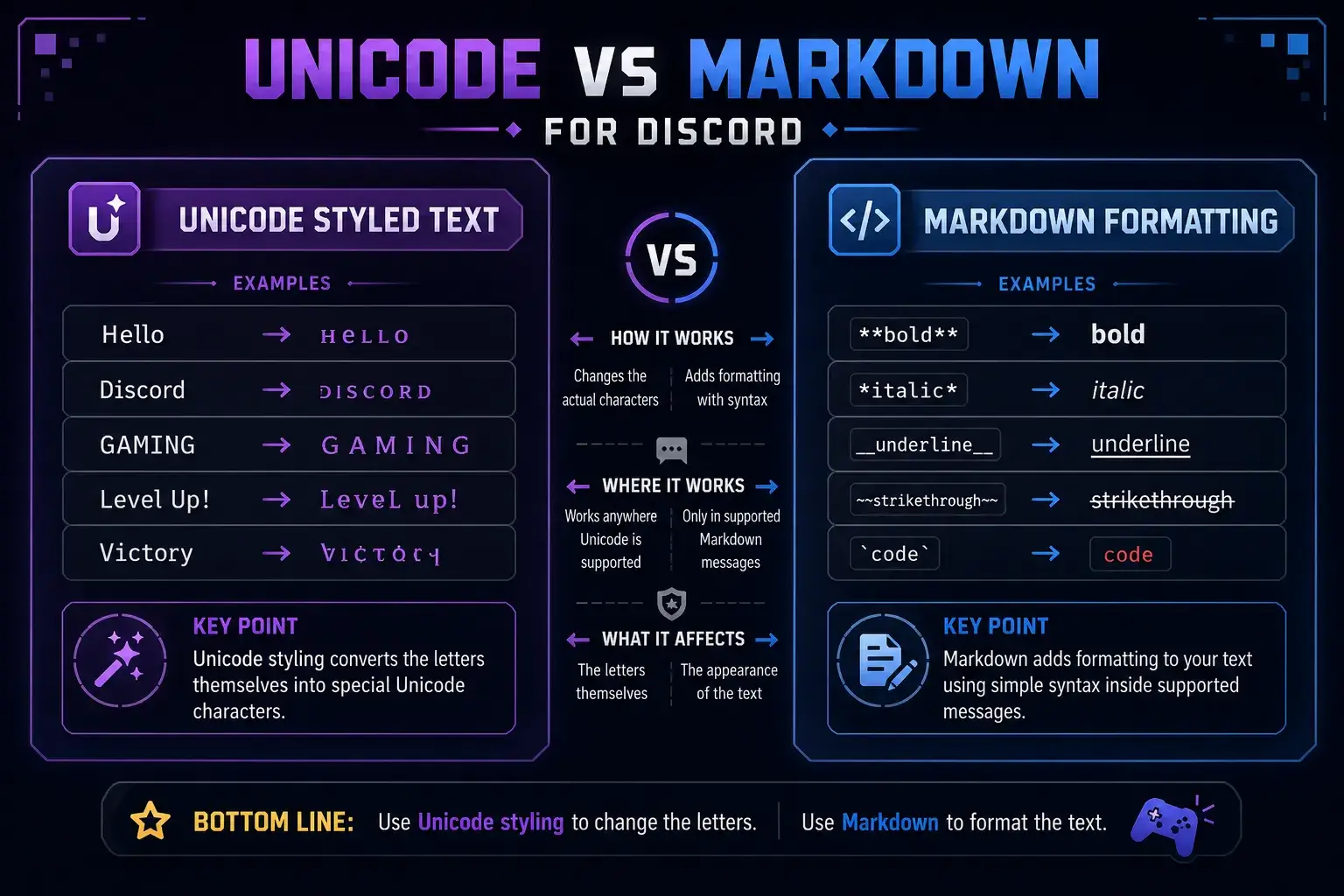
Unicode font generators and Discord Markdown formatting are different tools.
A Unicode generator changes the characters themselves. When you copy 𝗛𝗲𝗹𝗹𝗼, you are copying special Unicode letters that look bold. Unicode exists to represent text characters across languages, symbols, and writing systems. You can learn more from the Unicode Consortium and its technical introduction to Unicode.
Discord Markdown formatting changes how plain text appears in messages. Discord's official Markdown guide explains that you can add characters around text to make it bold, italic, underlined, quoted, or shown as code. See Discord's official Markdown Text 101 support page.
Simple Difference
- Unicode font generator: copy-paste styled characters, useful for names, bios, channels, and messages.
- Discord Markdown formatting: adds formatting to messages using symbols like
**bold**,_italic_, and~~strikethrough~~.
Example
Unicode styled text:
𝗪𝗲𝗹𝗰𝗼𝗺𝗲 𝗧𝗼 𝗧𝗵𝗲 𝗦𝗲𝗿𝘃𝗲𝗿
Markdown formatted text:
**Welcome To The Server**
The first can work in more profile and naming areas. The second mainly works in Discord messages where Markdown is supported.
Best Places to Use Cool Fonts for Discord Server Branding
Stylish text works best when it helps members understand your server faster. It should not make basic navigation harder.
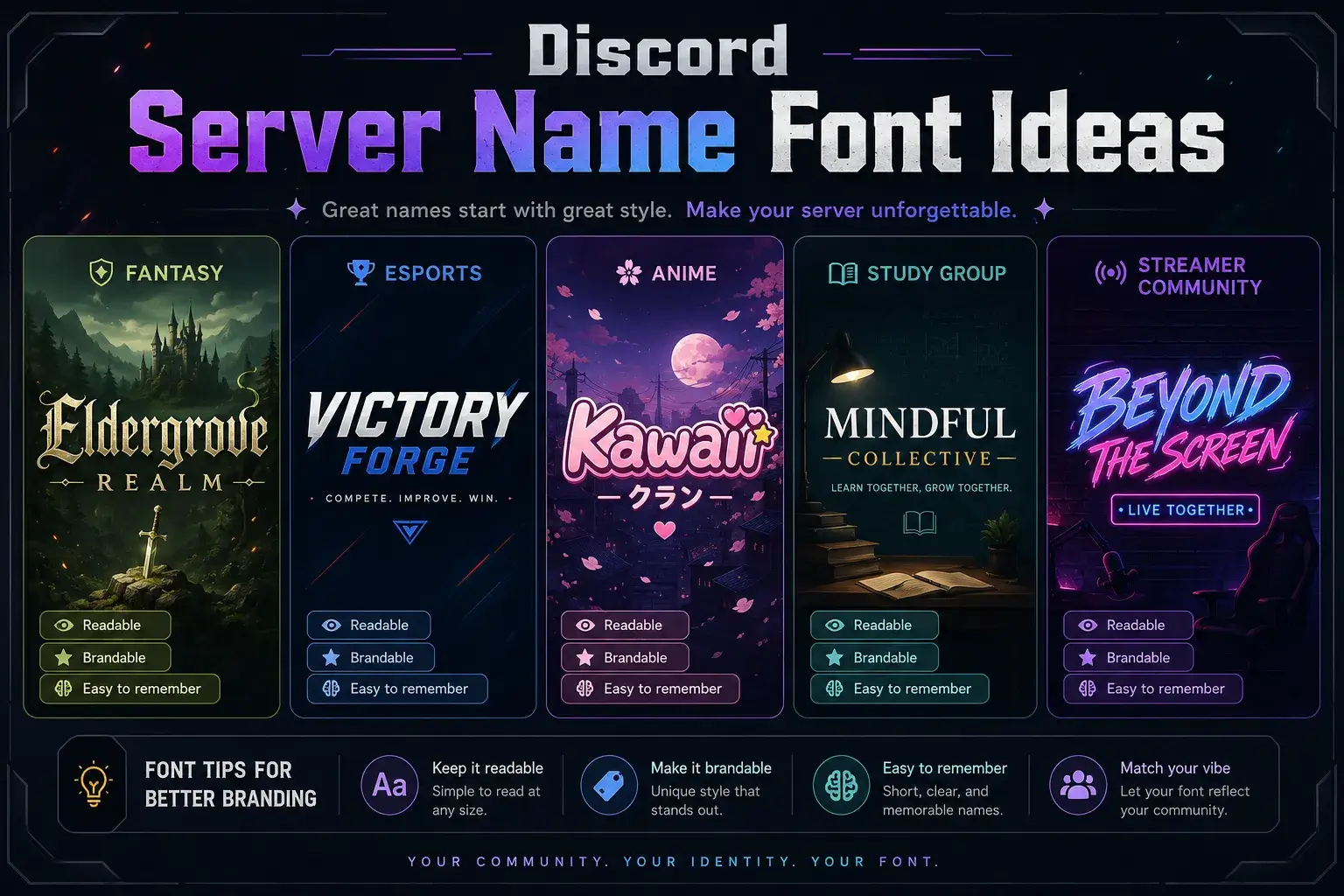
Server Names
Discord fonts for server names can make your community feel more polished. For example, a streamer server could use 𝗡𝗼𝘃𝗮 𝗟𝗶𝘃𝗲, while a roleplay server could use 𝓜𝓲𝓭𝓷𝓲𝓰𝓱𝓽 𝓡𝓟.
Keep server names short. Long decorative names may be hard to scan in a user's server list.
Channel Names
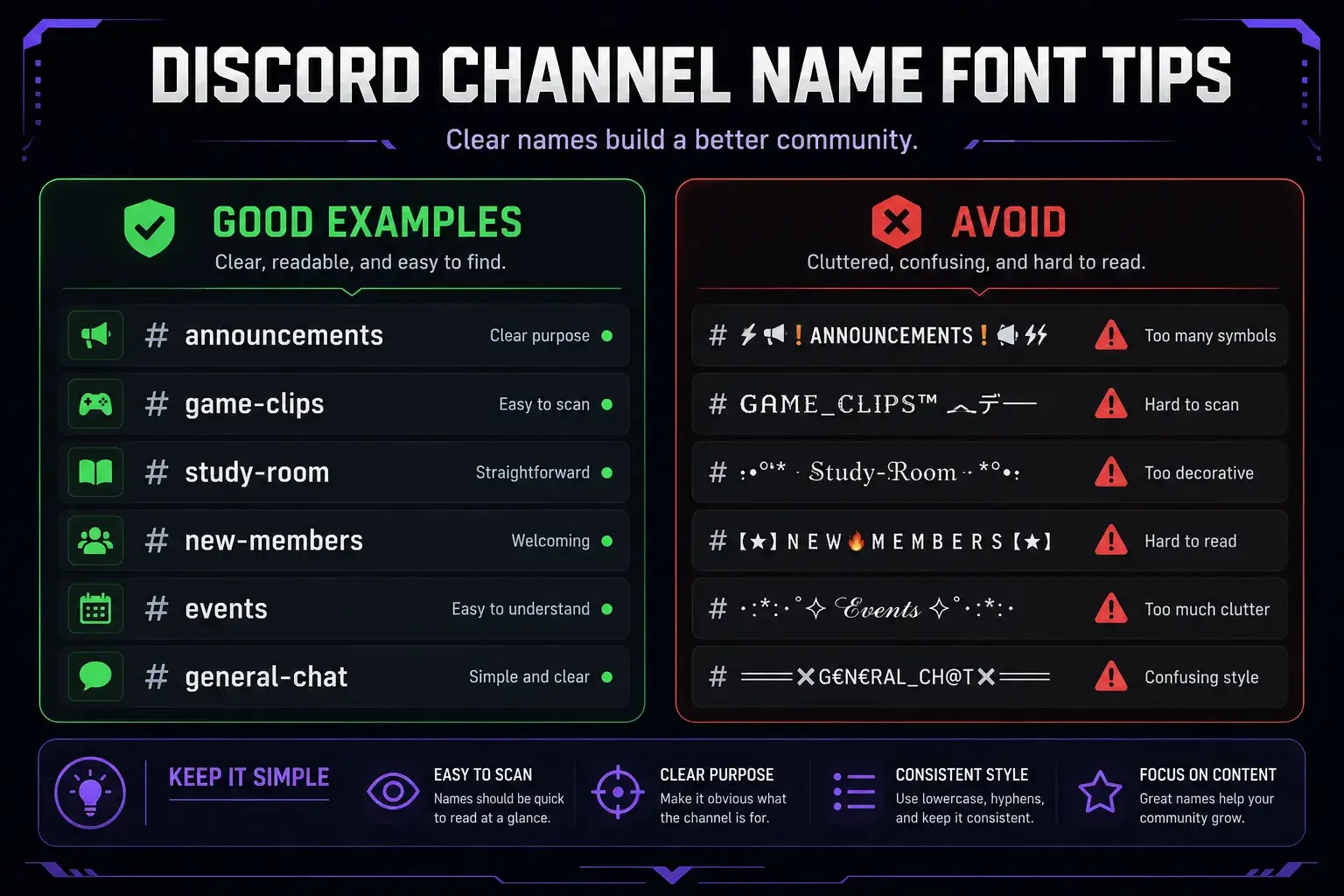
For channel names, use simple styles and symbols. Good examples include:
✦ rules🎮 game-chat𝗮𝗻𝗻𝗼𝘂𝗻𝗰𝗲𝗺𝗲𝗻𝘁𝘀ꜱᴛʀᴇᴀᴍ-ᴀʟᴇʀᴛꜱ
Avoid heavy script text for important channels like rules, tickets, support, or moderation logs. Members should find those channels quickly.
Bios and Profiles
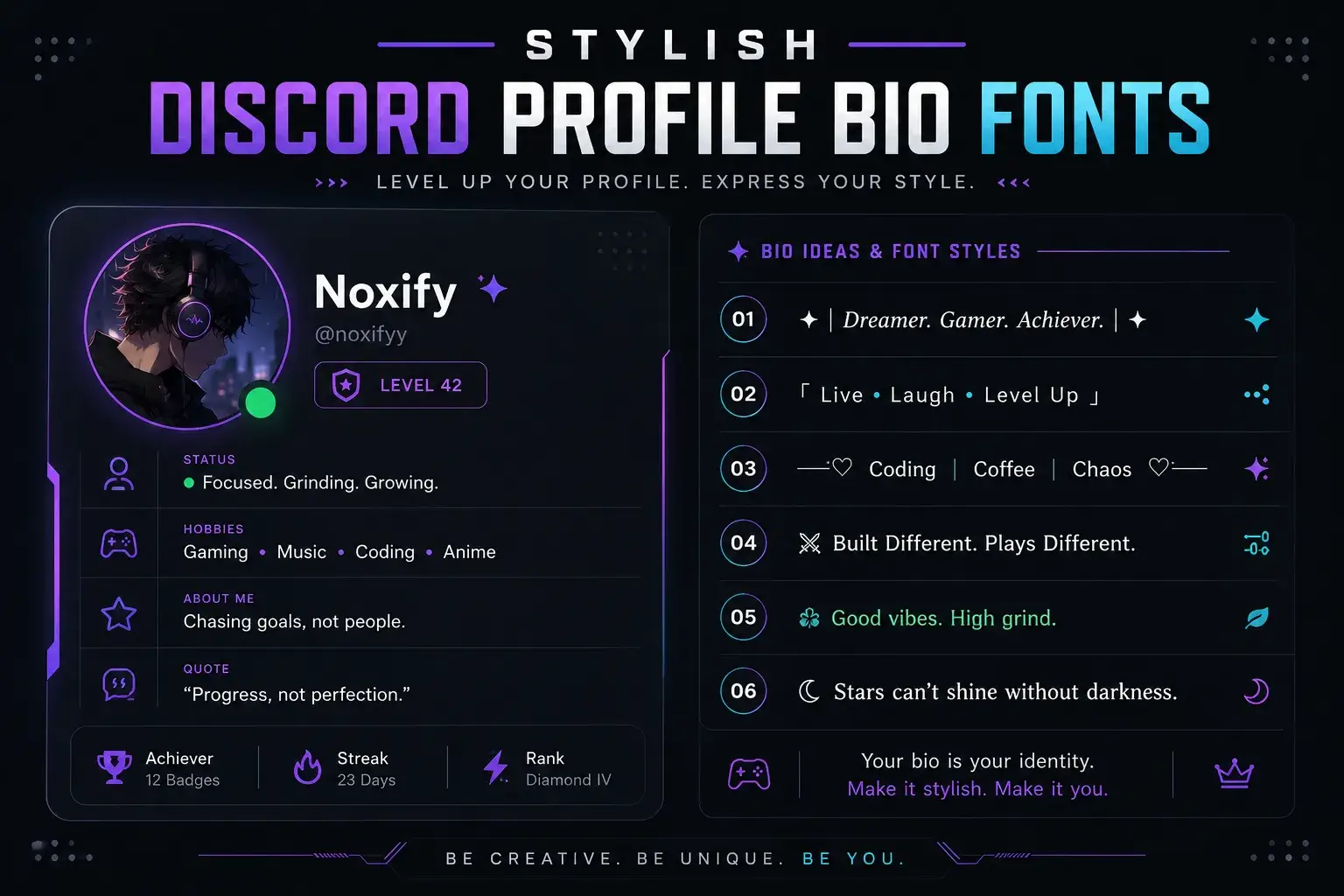
Bios are a good place for Discord stylish text because they are personal and short. You can mix one styled line with normal readable text.
Example:
𝖌𝖆𝖒𝖊𝖗 • editor • night owl
A clean profile is usually better than a crowded one. Use one or two styles, not six.
Messages and Announcements
Cool text for Discord can make announcements stand out. Still, normal text should handle the main message.
Example:
𝗘𝗩𝗘𝗡𝗧 𝗧𝗢𝗡𝗜𝗚𝗛𝗧
Then write the details in plain text. This keeps your announcement readable and stylish.
How to Change My Discord Font Without Confusion
Many users search for "how to change my Discord font" expecting a full app font setting. A Discord font generator does not change Discord's interface font. It changes the text you paste.
Here is the practical process:
- Open a Discord text generator.
- Type your name, message, channel label, or bio.
- Choose a readable style.
- Copy the generated Unicode text.
- Paste it into Discord.
- Preview it before saving.
For messages, you can also use Discord Markdown formatting. For example:
**bold**creates bold text.*italic*creates italic text.__underline__creates underlined text.~~strikethrough~~creates crossed-out text.`code`creates inline code.
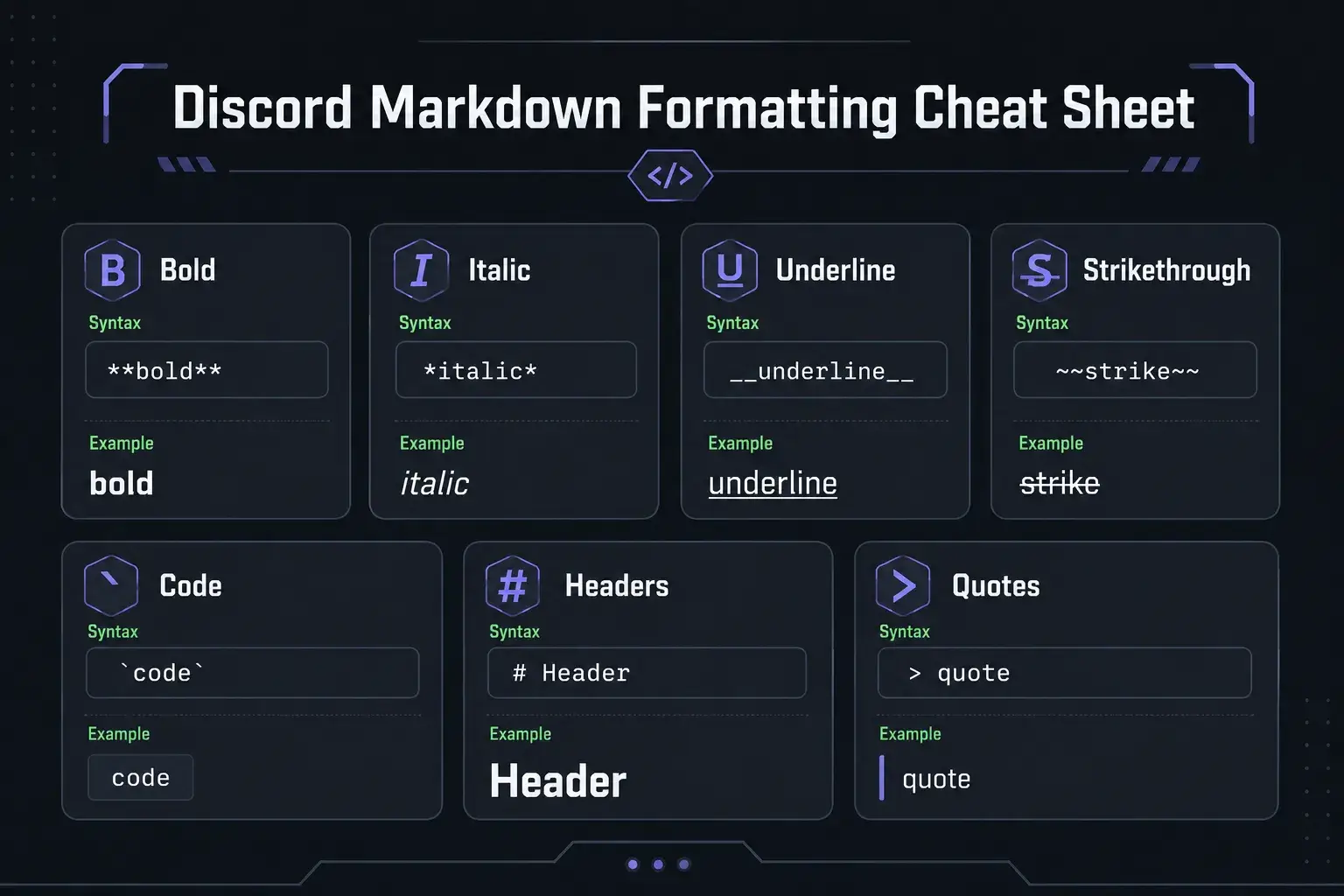
A smart setup uses both. Use Unicode for short branding text, then use Markdown for message formatting.
Mistakes to Avoid With Discord Stylish Text
Stylish text should improve your server, not make it harder to use.
Avoid these common mistakes:
- Using glitch text in rules, tickets, or moderation channels.
- Styling every channel name until the list becomes hard to scan.
- Mixing too many fonts in one server.
- Using characters that look broken on mobile.
- Replacing clear labels with symbols only.
- Using fake screenshots or copied branding assets for server graphics.
- Forgetting to keep a plain text backup.
A good rule is simple: decorate headings and highlights, but keep important instructions readable.
Practical Style Ideas for Different Discord Servers
Different communities need different font styles.
Gaming Server
Use bold text, sharp symbols, and short labels.
Examples:
𝗥𝗔𝗜𝗗 𝗡𝗜𝗚𝗛𝗧⚔ boss-fights🎮 squad-chat
Streamer Server
Use clean announcement text and clear channel names.
Examples:
LIVE NOW𝗰𝗹𝗶𝗽𝘀✦ supporter-chat
Study Server
Use soft, readable text. Avoid loud symbols.
Examples:
ꜱᴛᴜᴅʏ ʀᴏᴏᴍnotes-hubfocus-chat
Anime or Roleplay Server
Use script text for decorative areas, but keep rules plain.
Examples:
𝓦𝓮𝓵𝓬𝓸𝓶𝓮✧ character-lore𝕽𝖔𝖑𝖊𝖕𝖑𝖆𝖞 𝕳𝖚𝖇
FAQ
What is the best discord font generator?
The best discord font generator is one that gives you readable Unicode styles, quick copy-paste buttons, and previews for different looks. Try simple bold, small caps, and fullwidth styles first.
How do I get cool fonts for Discord server names?
Type your server name into a Discord text generator, choose a clean style, copy it, and paste it into your server name settings. Test it on mobile before keeping it.
What Discord fonts that work should I use?
Use bold Unicode, small caps, fullwidth text, light symbols, and simple decorative styles. Avoid heavy glitch text for important channels because it can be hard to read.
How to change my Discord font?
You can change the look of your pasted text with Unicode font generators or format messages with Discord Markdown. You cannot fully change Discord's app interface font with a generator.
What is the difference between Discord fonts and Markdown?
Discord fonts from generators are Unicode characters you copy and paste. Markdown uses symbols like **bold** or _italic_ to format messages inside Discord.
Conclusion
A discord font generator is a simple way to create stylish names, bios, channels, roles, and messages without installing anything. The best results come from readable Unicode styles, careful testing, and clean server branding.
Use decorative text for highlights, not every word. Then pair it with Discord Markdown formatting when you need bold, italic, code blocks, quotes, or structured messages.
Start creating your own Discord stylish text with the Discord fonts tool, then copy and paste your favorite style into your server.