
Games
Gothic Text Generator Copy Paste: Dark Letters Online
How to use a gothic text generator to copy-paste dark medieval Unicode fonts for Discord, Instagram bios, TikTok profiles, and other social platforms.
Contents
- What Is Gothic Text?
- How to Use a Gothic Text Generator Copy Paste Tool
- Best Uses for Gothic Copy-Paste Text
- Gothic Text Generator Copy Paste Examples
- Gothic, Blackletter, Fraktur, and Old English Text
- Gothic Text Generator Copy Paste Readability and Support
- Common Mistakes to Avoid
- Frequently Asked Questions
- Is gothic text the same as a gothic font?
- Can I copy and paste gothic text on Instagram?
- Why does gothic text sometimes show boxes?
- Is gothic text good for usernames?
- Is the gothic text generator free?
- Final Tips for Better Gothic Text
What Is Gothic Text?
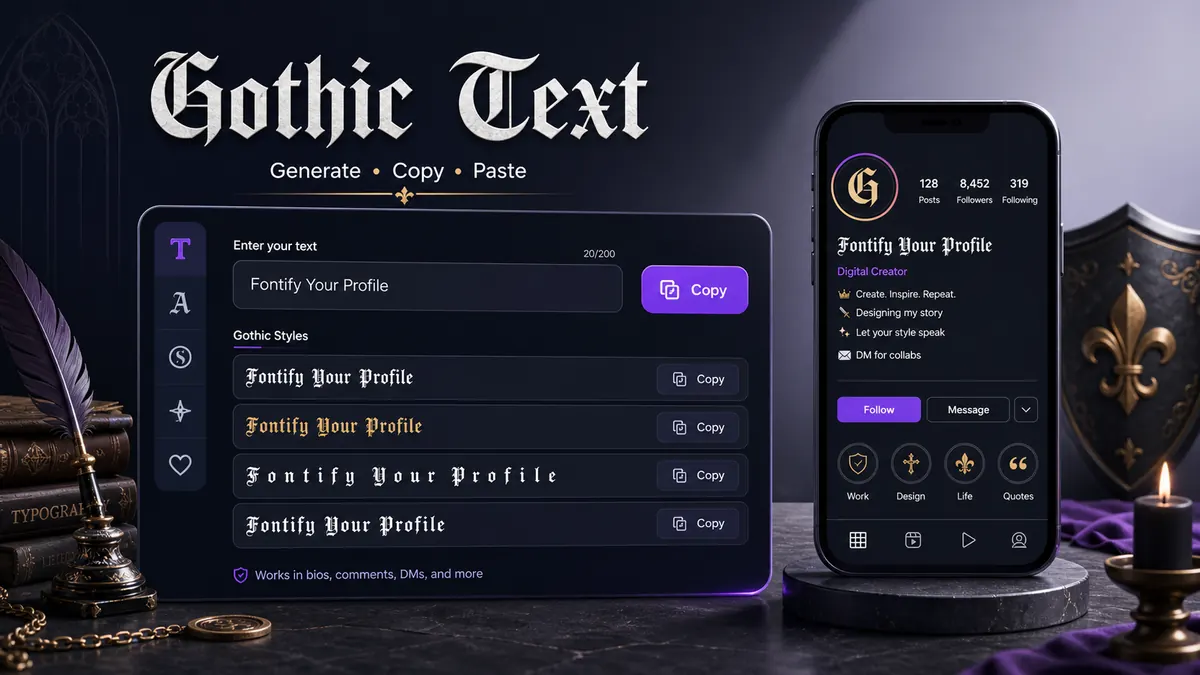
A gothic text generator copy paste tool creates blackletter, Fraktur, or Old English-style Unicode text for bios, captions, usernames, and gaming names. The look comes from characters that have a dark, angular shape. Some of these symbols belong to mathematical alphanumeric blocks or related Unicode character sets, which is why they can be copied and pasted like ordinary text.
This is not the same as installing a gothic font file on your device. A font file changes how normal letters are drawn inside one website, design app, or document. Copy-paste gothic text uses different characters altogether. When you paste the result into a social bio or caption, the app receives those styled Unicode characters.
That difference is useful for social platforms because most of them do not let users upload custom fonts. You cannot install a blackletter font into an Instagram bio field, but you can paste Unicode characters that already look like blackletter.
There is one tradeoff. Some gothic letters are harder to read than plain text, and older devices or certain apps may show fallback boxes for uncommon symbols. That is why gothic text should be tested before you use it in a profile name, gaming handle, or public caption.
How to Use a Gothic Text Generator Copy Paste Tool
The workflow is quick, but the best result comes from choosing a style that matches the place where you will paste it.
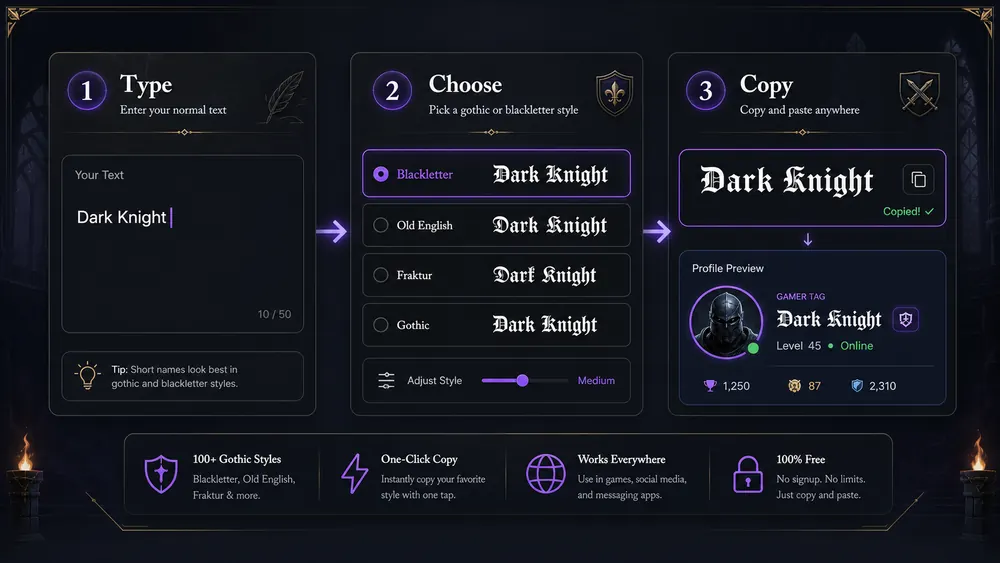
- Type your text into the generator.
- Choose a gothic, blackletter, Fraktur, or Old English style.
- Copy the generated text.
- Paste it into social profiles, captions, usernames, gaming names, or bios.
- Test it on mobile before saving.
Use the free font generator when you want to compare gothic with other copy and paste fonts. For the most direct route, open the gothic font generator. If your text needs more weight but less medieval style, the bold font generator is usually easier to read.
Keep the first test short. A name like Raven or a phrase like dark mode is easier to judge than a full sentence. If the line looks crowded in the generator preview, it will likely look more crowded inside a mobile app.
Expert note: gothic text often has wider or darker characters than normal text. If your platform has a strict character limit, count the plain text first and leave room for spaces, emoji, and line breaks before you paste the styled version.
Best Uses for Gothic Copy-Paste Text
Gothic text works when the style supports the identity of the page or post. It is not a neutral everyday font. That is why it does well in specific places.
Gaming usernames are a common use. A short gothic name can look strong in a player list, clan roster, or Discord server. Avoid styling every extra symbol around it. The name should still be searchable and recognizable.
Dark aesthetic Instagram bios can use gothic text for one line, such as a page title or mood phrase. Keep contact details, pronouns, location, or shop info in plain text.
TikTok captions can use gothic text for short dramatic phrases. It works for edits, fantasy clips, dark fashion, music posts, and Halloween content. Keep the caption readable because viewers scroll quickly.
Discord names can use gothic text in creative servers, roleplay spaces, and gaming groups. Check server rules first because some communities prefer simple names.
Halloween posts, fantasy captions, medieval jokes, tattoo-style lines, and metal band style text can all use gothic letters. The style has a strong voice, so it should be chosen on purpose rather than used everywhere.
Gothic Text Generator Copy Paste Examples
Good gothic text examples are short and sharp. If the line becomes hard to read, reduce the length before changing the style.
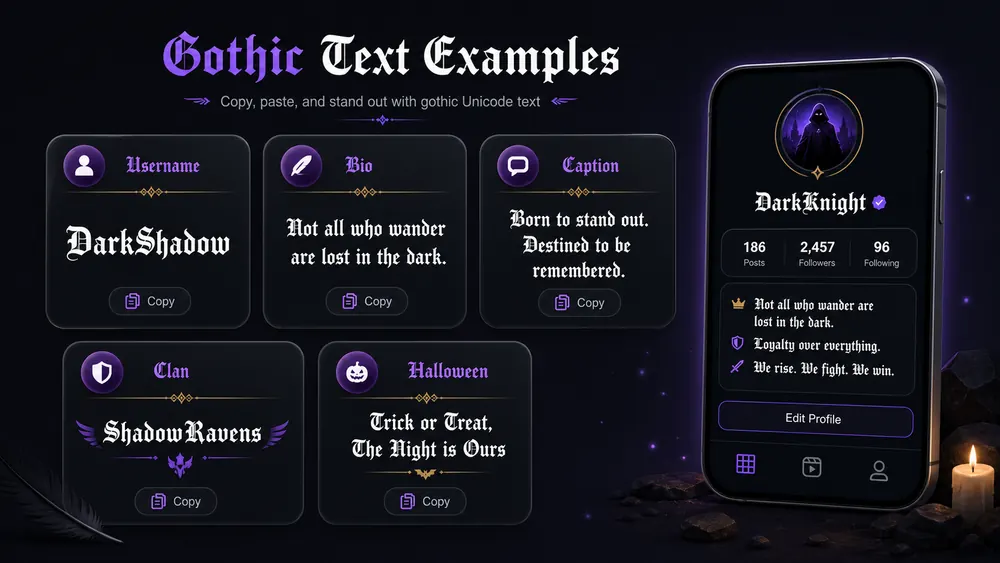
Short username:
𝔯𝔞𝔳𝔢𝔫
This works better than a long handle because each letter has room to breathe. If the name has many narrow letters, try another gothic style and compare spacing.
Dark bio line:
𝔟𝔬𝔯𝔫 𝔦𝔫 𝔫𝔦𝔤𝔥𝔱
Use it as the first line of a bio, then write the practical details below in plain text.
Medieval caption:
𝔱𝔥𝔢 𝔬𝔩𝔡 𝔤𝔞𝔱𝔢 𝔬𝔭𝔢𝔫𝔰
This fits fantasy artwork, book posts, roleplay captions, and medieval mood edits.
Gaming clan name:
𝔑𝔦𝔤𝔥𝔱 𝔒𝔯𝔡𝔢𝔯
Use title case or spaces to keep clan names readable. All lowercase gothic letters can become dense in longer names.
Halloween text:
𝔬𝔠𝔱𝔬𝔟𝔢𝔯 𝔪𝔬𝔬𝔡
Short seasonal phrases work well because people understand the tone immediately.
Gothic, Blackletter, Fraktur, and Old English Text
People often use these names for similar styles, but they are not exactly the same.
Gothic text is the broad everyday term people use when they want dark, medieval-looking letters. It covers many blackletter-style Unicode results and is the easiest phrase for social media users to understand.
Blackletter refers to a historical lettering style with heavy strokes, sharp angles, and dense texture. It appears in old manuscripts, early printing, tattoo design, metal music visuals, and fantasy design.
Fraktur is a specific blackletter style associated with German printing. In Unicode generators, Fraktur-style characters are often the ones people recognize as gothic letters.
Old English text is another common name. Strictly speaking, Old English is a language period, not only a type style. Online, people often use it to mean medieval-looking blackletter letters.
For practical use, the labels matter less than readability. Pick the style that looks clear on your device and fits the tone of the profile or caption.
Gothic Text Generator Copy Paste Readability and Support
Gothic text can be harder to read because the strokes are thick and the letterforms are complex. That is part of its appeal, but it also means the style needs restraint.
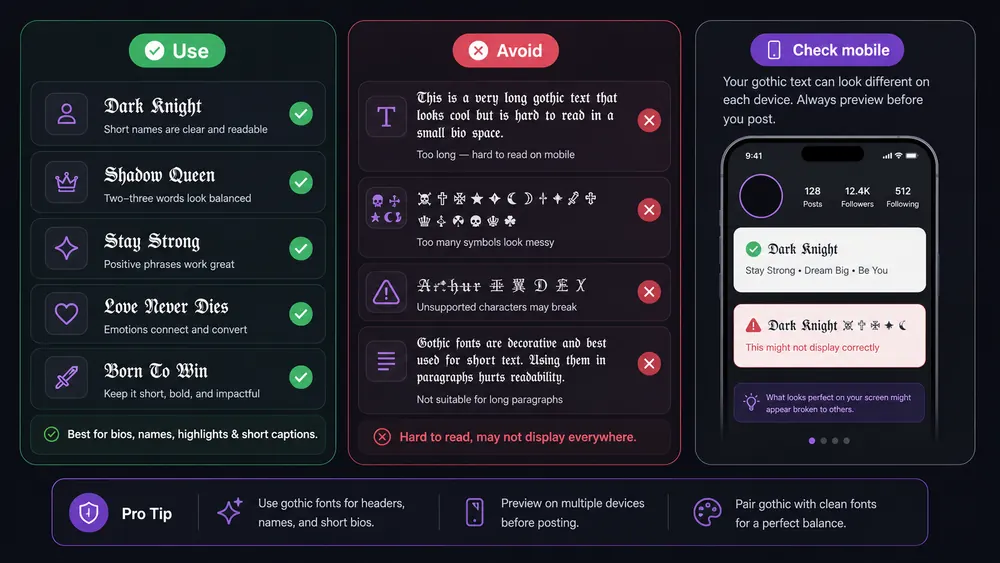
Use gothic text for short phrases, names, headers, and dramatic one-liners. Avoid using all-gothic long paragraphs. A caption written entirely in blackletter may look impressive at first glance, but most people will skip it if it takes effort to read.
Check on mobile before posting. A desktop browser can make gothic letters look spacious, while a phone may squeeze the same line into two or three wraps. This is especially important for bios, where every line break changes the shape of the profile.
Some apps may display fallback boxes if a character is unsupported. This is less common on modern devices, but it can still happen in older apps, in game clients, or in fields with stricter character support. If you see boxes, choose a simpler style from the generator.
For usernames, use gothic letters only if the platform accepts them and people can still identify you. A display name can be more decorative than a handle. A handle should be easy to search, mention, and remember.
Common Mistakes to Avoid
One common mistake is using gothic text for full paragraphs. The style is too dense for long reading. Use it as a title, name, or accent line, then switch back to plain text.
Another mistake is making usernames unreadable. If people cannot tell whether a letter is an n, m, u, or v, the name may look cool but fail in conversation.
Too many decorative symbols create a third problem. Gothic text already has a strong shape. Extra skulls, arrows, brackets, and stars can make the line feel crowded.
The fourth mistake is using gothic text where clean text is needed. Addresses, prices, email names, safety instructions, and business calls to action should stay plain.
The fifth mistake is not testing on Android and iPhone. The same Unicode characters can render with small differences across systems. Test the line where your audience will see it, not only inside the generator preview.
Frequently Asked Questions
Is gothic text the same as a gothic font?
No. Gothic copy-paste text uses Unicode characters that look like gothic or blackletter letters. A gothic font file changes normal letters only where that font is installed or loaded.
Can I copy and paste gothic text on Instagram?
Yes. Instagram accepts many Unicode gothic characters in bios, captions, comments, and display names. Use short phrases and check the result on your phone before saving.
Why does gothic text sometimes show boxes?
Boxes usually mean the app, device, or field does not support one or more Unicode characters. Try a simpler gothic style or use plain text in stricter username fields.
Is gothic text good for usernames?
It can be good for short display names, gaming names, and clan names. For searchable handles, keep the text readable and avoid too many symbols.
Is the gothic text generator free?
Yes. The gothic text generator copy paste tool at FontifyText lets you generate, copy, and paste gothic text for free in your browser. No app or account is needed.
Final Tips for Better Gothic Text
Use gothic text when you want a line to feel dark, medieval, dramatic, or fantasy-inspired. Keep it short, test it on mobile, and let plain text handle the details people need to read quickly.
Try your phrase in the free font generator, compare styles in the gothic font generator, and paste the final version into your app before saving. A gothic text generator copy paste style is strongest when it is short, readable, and tested on mobile. If you want a softer handwritten look, read the cursive text generator guide and compare it with gothic letters.