
Social Media
Bold Text Generator Copy Paste: Make Bold Letters Online
Create bold Unicode letters with this bold text generator copy paste tool. Copy bold text for Instagram, Discord, bios, captions, usernames, and posts.
Contents
- What Is a Bold Text Generator?
- How to Use a Bold Text Converter
- Why Unicode Bold Text Works Across Platforms
- Bold Text vs Real Formatting
- Where Can You Use Bold Copy-and-Paste Text?
- Best Uses for Bold Text Online
- Highlight a profile role
- Create simple section labels
- Add emphasis to short announcements
- Style a display name
- Tips for Using Bold Text Without Overdoing It
- Examples of Bold Text You Can Copy and Paste
- Bold Text for Instagram
- Bold Text for Discord
- FAQ
- What is a bold text generator copy paste tool?
- Is bold copy-and-paste text the same as formatting?
- Why does Unicode bold text work on many platforms?
- Can I use bold text on Instagram?
- Can I use bold text on Discord?
- Create Bold Text With FontifyText
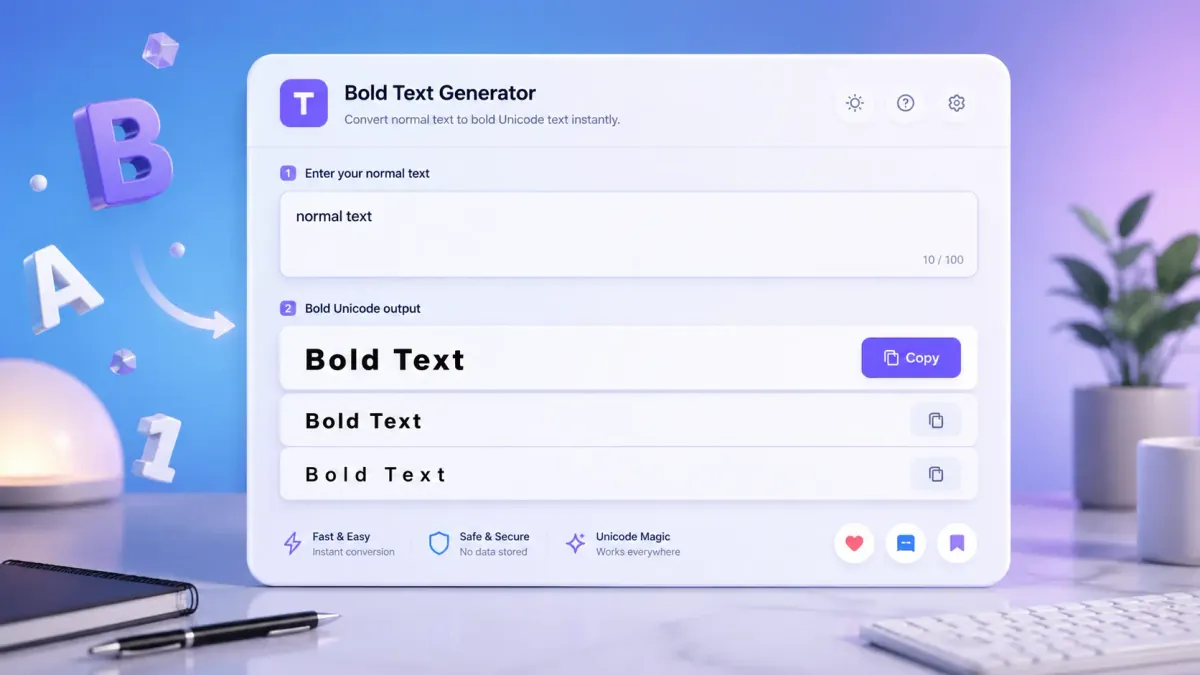
Use this bold text generator copy paste tool to turn normal words into bold-looking Unicode letters for bios, captions, usernames, messages, posts, and profile sections. Type your text, copy the bold result, and paste it anywhere plain text is allowed.
Use the tool on this page to enter your text, choose a bold style, and copy your bold letters instantly. Then paste the result into your bio, caption, username, message, or post.
Quick examples:
Hello→𝐇𝐞𝐥𝐥𝐨New update→𝐍𝐞𝐰 𝐮𝐩𝐝𝐚𝐭𝐞Follow me→𝐅𝐨𝐥𝐥𝐨𝐰 𝐦𝐞
Try the free fancy text generator to create bold, cursive, gothic, small text, and other copy-and-paste font styles. You can also browse more copy-and-paste font generators when you want different looks for social media, gaming, chats, and creative posts.
What Is a Bold Text Generator?
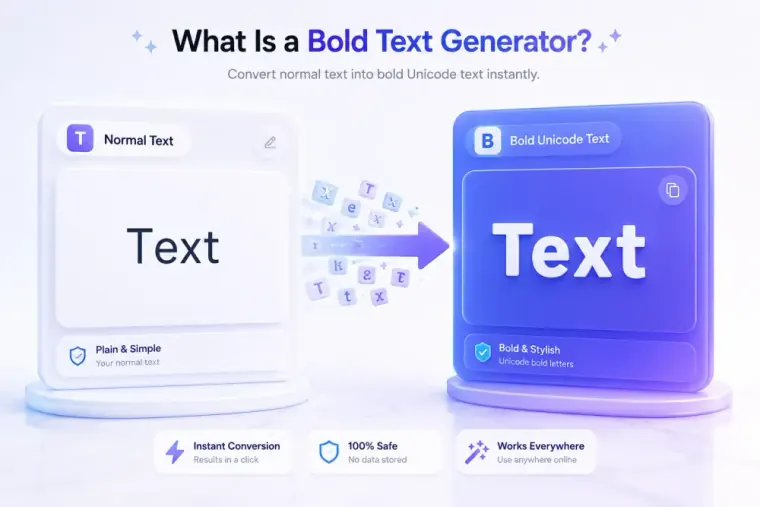
A bold text generator is an online tool that changes regular letters into bold-looking Unicode characters.
For example:
- Normal:
Profile update - Bold:
𝐏𝐫𝐨𝐟𝐢𝐥𝐞 𝐮𝐩𝐝𝐚𝐭𝐞
That bold version is not made by selecting text and pressing a bold button. It uses different characters that already look bold. As a result, you can copy the output and paste it into many unstyled text fields.
A bold font generator is helpful when you want text to stand out in places like:
- Instagram bios
- TikTok profile text
- Discord messages
- Facebook posts
- X/Twitter posts
- Gaming usernames
- WhatsApp messages
- Short social captions
In practice, this works best for short text. A bold name, label, or callout is easier to read than a full paragraph written in styled Unicode letters.
How to Use a Bold Text Converter
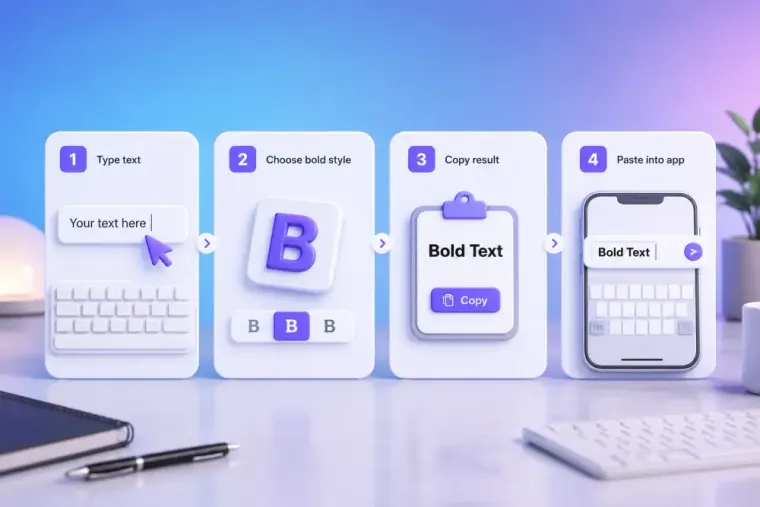
Using an online bold letter maker is simple:
- Type or paste your regular writing.
- Choose the bold style.
- Copy the converted text.
- Paste it into your bio, caption, chat, username, or post.
Example:
Normal text:
New post today
Bold text:
𝐍𝐞𝐰 𝐩𝐨𝐬𝐭 𝐭𝐨𝐝𝐚𝐲
This is a quick way to make text bold online when an app does not give you rich text buttons. You can use it for a profile headline, a short announcement, a Discord label, or the first line of a caption.
For best results, paste the text into your target app before posting. Some platforms handle special characters differently, so a quick preview helps you catch spacing or display issues.
Why Unicode Bold Text Works Across Platforms
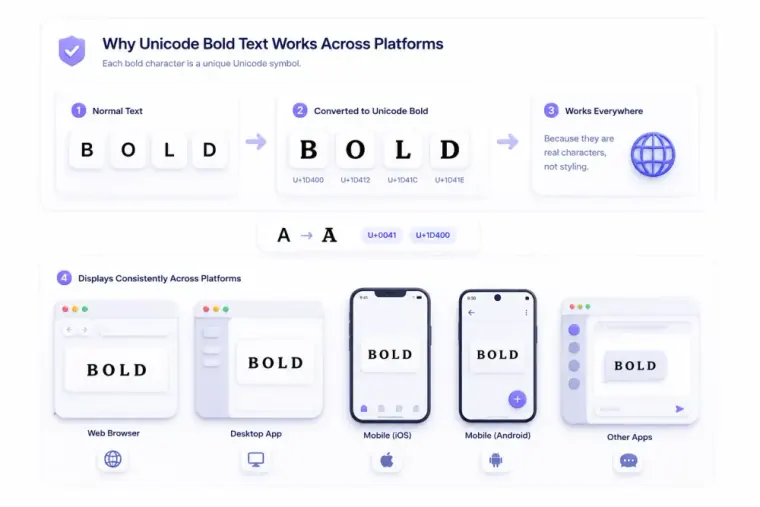
Unicode bold text works because the bold-looking letters are separate text characters, not normal letters with formatting applied.
The Unicode standard includes a block called Mathematical Alphanumeric Symbols. This block contains styled letters, including mathematical bold characters such as 𝐀, 𝐁, and 𝐂. These characters were created for cases where letter style can carry meaning, especially in math notation. You can see them in the official Unicode Mathematical Alphanumeric Symbols chart.
In simple terms, the generator swaps standard letters for special bold-looking Unicode letters that can be copied like regular text.
That is why a Unicode bold text generator can create text that looks bold without using HTML, CSS, or a formatting toolbar. When you copy 𝐀, you are copying a separate Unicode character. You are not copying a regular A with a style added on top.
For this reason, copyable bold letters can often be pasted into plain text areas. However, they are not always right for every use. Some devices, fonts, screen readers, search boxes, and apps may treat these characters differently from standard letters.
Use Unicode bold for style. Use normal letters when clarity, searchability, or accessibility matters most.
Bold Text vs Real Formatting
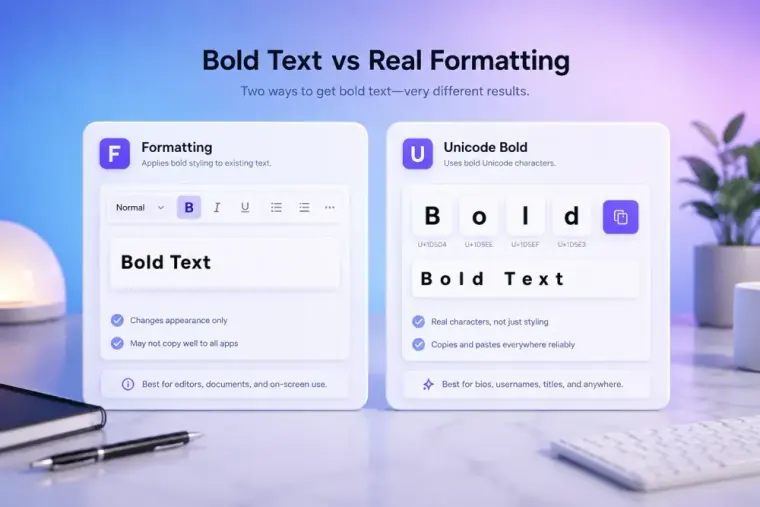
Bold Unicode text and real bold formatting may look similar, but they work in different ways.
| Feature | Real Bold Formatting | Unicode Bold Text |
|---|---|---|
| What changes? | The style of normal letters | The characters themselves |
| Example | Hello | 𝐇𝐞𝐥𝐥𝐨 |
| Needs a formatting toolbar? | Usually yes | No |
| Works in plain text fields? | Often no | Often yes |
| Best for | Documents, emails, websites | Bios, captions, usernames, chats |
| Good for long paragraphs? | Yes | Usually no |
Real formatting is best for documents, articles, emails, and web pages. Unicode bold is best when you only have a plain text box but still want a bold-looking effect.
For example, a blog editor can use normal bold formatting. An Instagram bio field may not offer the same formatting tools, so a bold Unicode converter can be useful there.
Where Can You Use Bold Copy-and-Paste Text?
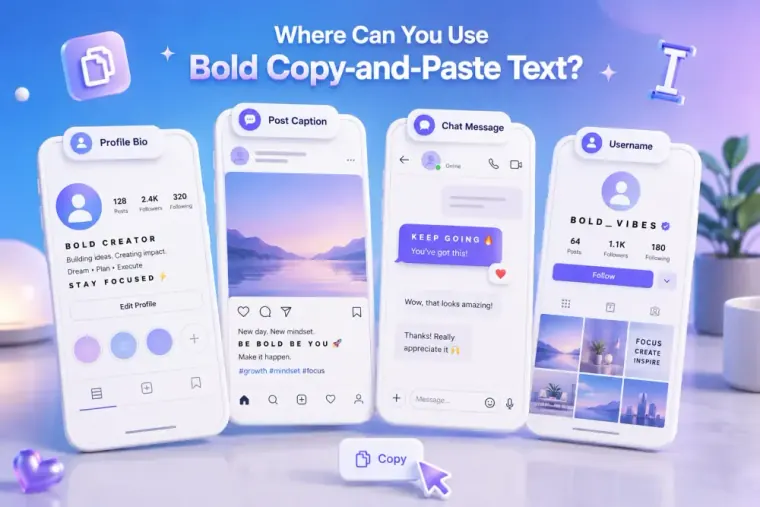
You can use bold text copy and paste styles in many places where plain text is allowed.
Common use cases include:
- Instagram bios: Highlight your niche, role, or short tagline.
- Instagram captions: Make one opening phrase stand out.
- TikTok bios: Add a bold label before your topic or interest.
- Discord messages: Create simple labels for rules, updates, or events.
- Facebook posts: Add a bold first line to help readers scan.
- X/Twitter posts: Emphasize one short phrase.
- Gaming usernames: Give your display name a stronger look.
- Chat messages: Style greetings, reminders, or short notes.
For gaming profiles, FontifyText also has a guide to fancy fonts for gaming usernames with more ideas for player names, profile text, and display styles.
However, not every platform allows every character in every field. Usernames may have stricter rules than captions or posts. Test the bold text before saving it.
Best Uses for Bold Text Online

A bold letters generator works best when the bold text has a clear purpose. Use it to guide the eye, not to decorate every word.
Highlight a profile role
Normal:
Digital artist | New prints every Friday
Bold:
𝐃𝐢𝐠𝐢𝐭𝐚𝐥 𝐚𝐫𝐭𝐢𝐬𝐭 | New prints every Friday
This keeps the main role visible while the rest of the line stays easy to read.
Create simple section labels
Bold section labels work well in bios, community notes, and Discord posts:
𝐀𝐛𝐨𝐮𝐭 𝐦𝐞
𝐑𝐮𝐥𝐞𝐬
𝐒𝐜𝐡𝐞𝐝𝐮𝐥𝐞
𝐋𝐢𝐧𝐤𝐬
𝐔𝐩𝐝𝐚𝐭𝐞𝐬
Add emphasis to short announcements
Normal:
Giveaway ends tonight
Bold:
𝐆𝐢𝐯𝐞𝐚𝐰𝐚𝐲 𝐞𝐧𝐝𝐬 𝐭𝐨𝐧𝐢𝐠𝐡𝐭
This style can help a short update stand out without adding extra symbols or repeated punctuation.
Style a display name
A small bold text detail can make a username more noticeable. Keep it readable, especially if people need to search for your name later.
Tips for Using Bold Text Without Overdoing It
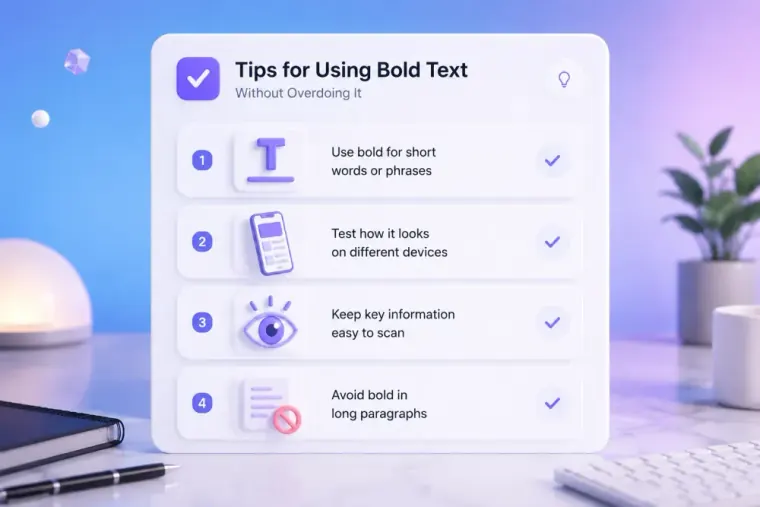
Bold Unicode text is easier to read when it is used lightly. Too much styled text can slow readers down.
Use these simple tips:
- Keep bold text short.
- Use it for names, labels, and one-line callouts.
- Avoid converting full paragraphs.
- Test it on mobile and desktop.
- Keep key details in normal text.
- Avoid mixing too many font styles in one bio.
- Use standard letters for links, handles, and important instructions.
Accessibility is also important. Some assistive tools may not read styled Unicode letters the same way they read standard letters. If the message is important, keep the main information in normal text and use bold Unicode as a small visual accent.
You can visit the FontifyText blog for more text styling tips and practical ideas for using styled text with better readability.
Examples of Bold Text You Can Copy and Paste
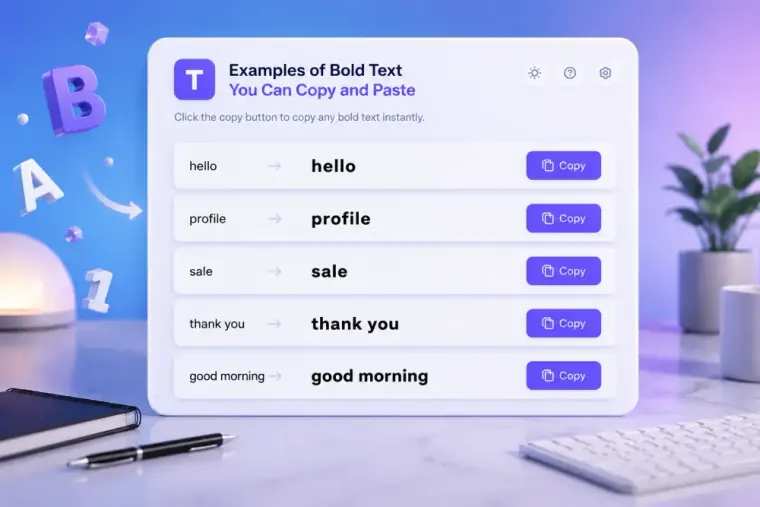
Here are quick examples made with a bold Unicode converter:
| Normal Text | Bold Unicode Text |
|---|---|
| Follow me for daily tips | 𝐅𝐨𝐥𝐥𝐨𝐰 𝐦𝐞 𝐟𝐨𝐫 𝐝𝐚𝐢𝐥𝐲 𝐭𝐢𝐩𝐬 |
| New post today | 𝐍𝐞𝐰 𝐩𝐨𝐬𝐭 𝐭𝐨𝐝𝐚𝐲 |
| Gamer profile | 𝐆𝐚𝐦𝐞𝐫 𝐩𝐫𝐨𝐟𝐢𝐥𝐞 |
| Sale ends soon | 𝐒𝐚𝐥𝐞 𝐞𝐧𝐝𝐬 𝐬𝐨𝐨𝐧 |
| Join the server | 𝐉𝐨𝐢𝐧 𝐭𝐡𝐞 𝐬𝐞𝐫𝐯𝐞𝐫 |
| New video live | 𝐍𝐞𝐰 𝐯𝐢𝐝𝐞𝐨 𝐥𝐢𝐯𝐞 |
| About me | 𝐀𝐛𝐨𝐮𝐭 𝐦𝐞 |
| Daily updates | 𝐃𝐚𝐢𝐥𝐲 𝐮𝐩𝐝𝐚𝐭𝐞𝐬 |
These examples show why people search for copy and paste bold letters. You can create the style once, copy it, and paste it where the characters display well.
Bold Text for Instagram
Bold text for Instagram is useful for bios, captions, and short profile lines. It can make the most important part of your text easier to spot.
Example Instagram bio:
𝐓𝐫𝐚𝐯𝐞𝐥 𝐓𝐢𝐩𝐬
Budget guides + weekend ideas
New posts every Monday
Example caption opening:
𝐍𝐞𝐰 𝐠𝐮𝐢𝐝𝐞: 5 simple ways to plan a weekend trip
Keep hashtags, handles, and links in normal text so they stay easier to read, copy, and search.
Bold Text for Discord
Bold text for Discord can help with short server labels, community updates, and message headings. Discord also supports markdown formatting, but Unicode bold text can be pasted as characters.
Examples:
𝐖𝐞𝐥𝐜𝐨𝐦𝐞
𝐒𝐞𝐫𝐯𝐞𝐫 𝐑𝐮𝐥𝐞𝐬
𝐄𝐯𝐞𝐧𝐭 𝐓𝐨𝐧𝐢𝐠𝐡𝐭
𝐒𝐭𝐚𝐟𝐟 𝐍𝐨𝐭𝐞
Preview the result before saving it in display names or server areas, since some fields may have character limits or display rules.
FAQ
What is a bold text generator copy paste tool?
A bold text generator copy paste tool converts regular text into bold-looking Unicode characters. You can copy the result and paste it into bios, captions, usernames, chats, and posts.
Is bold copy-and-paste text the same as formatting?
No. Real bold formatting changes how normal letters look. Unicode bold text uses separate bold-style characters, such as 𝐀 and 𝐁.
Why does Unicode bold text work on many platforms?
It often works because the bold letters are real Unicode characters. Many apps support Unicode text, so those characters can be pasted into unstyled text fields. Display can still vary by app, device, and font support.
Can I use bold text on Instagram?
Yes, you can often use bold Unicode text on Instagram bios, captions, and comments. Keep it short and preview it before posting.
Can I use bold text on Discord?
Yes, you can often use bold Unicode text in Discord messages and display text. Discord also supports markdown formatting, so choose the option that fits your message best.
Create Bold Text With FontifyText
A bold text generator copy paste tool is useful when you want bold-looking text without relying on formatting buttons. It changes standard letters into Unicode bold characters that can be copied into bios, captions, messages, usernames, and short posts.
Use it for short phrases, section labels, profile lines, and social callouts. Keep long or important information in normal text so it stays easy to read.
Try the generator, copy your favorite bold style, and explore more FontifyText font generators when you want a different look.